All blogs

Enhance Your Brand's Identity with 6 Powerful Illustration Systems
Illustration systems have become synonymous with a brand’s identity. Whether it is a social media page, email, or webpage, one of the best ways to provide a colorful yet meaningful and fun user experience is with the use of powerful visual elements. Irrespective of whether it's a website, UI for an app, or social media, illustrations are soon becoming integral to a brand’s image.
What is an illustration system?
Illustrations define a brand’s image and they are the cornerstone for branding design. The number of ways illustration systems may be used is practically limitless, which explains why they are becoming increasingly important to providing unique brand content. It is quite similar to a design system, in the way different pre-existing reusable illustrations are mixed and matched to create new illustrations and compositions.
Illustration systems consist of customizable illustrations and templates that can be both static as well as animated. The avatars can be changed and molded at will and as per brand requirements. The multitude of ways in which these systems may be utilized is practically limitless, which explains why they are becoming increasingly important in providing brand content.
Humaaans, Hey!, Blush and Ouch are all examples of illustration systems that brands can use to create enhanced visuals for their products, both online and offline. Each of these systems is made up of a variety of components, such as scenes, objects, moods and characters and so much more!
It can help to add an extra zest of life into an important piece of content/information. Irrespective of whether they’re animated or static, illustrations are fast becoming one of the most sought-after options for brands to make their overall image a little more lively and human!
Who uses illustration systems?
Illustration systems act as a playbook to help achieve design goals and ensure they remain cohesive throughout.
- Design teams and individuals looking for quick animations usually opt for illustration systems.
- There are thousands of companies all around the world that use illustrations to engage with their customers.
- Barring design teams, illustration systems enable stakeholders to be a part of the design process too, as it helps them to communicate their thoughts and requirements in a smooth and frictionless manner.
- Different departments such as product design, marketing, engineering, or HR, get to engage with unique and super simple illustrations to help save adequate time in designing something super cool and fun!
Given below is a list of six unique illustration systems, both free and paid, that are sure to help solve some quick illustration woes for you and your brand.
Blush

Blush by Pablo Stanley is a one-of-a-kind illustration library with tons of free illustrations by artists from all around the globe! Not just that, their illustrations are completely customizable and provide brands with complete creative control over their illustration projects. You could also go random and let their algorithm create a unique avatar for you. Blush illustrations are usable on both Figma and Sketch, in static and animated forms.
To create a unique illustration on Blush, all you’d have to do is pick a style from one of the umpteen themes put together by artists from all over, use different variations and create an art style best suited to your needs. Blush has a subscription model of both paid and free versions, wherein the Doodler plan comes free and there’s a Pro plan (that you can try for free, before buying), which can be billed monthly, quarterly, and yearly.
Hey!

Hey! is the brainchild of the design team at QED42. This customizable illustration system provides a sustainable collection of different styles that can easily help create unique concept-based illustrations for commercial and personal use. It is an open-source playground and has been put together to give back a little something to the design community.
Hey! is available on both Figma and Sketch and is 100% free to use as well. Enjoy recreating and reimagining your design solutions, using their cool, trendy and artistic illustrations, and bring your creative ideas to life!
BlackIllustrations

BlackIllustrations is a unique illustration library, depicting people of color, founded by John D Saunders, with the idea of creating diversity and inclusivity in design. It comes in packs, that are available for free as well as a nominal sum of money and are divided into various themes such as - activism, business, 3D, children, coffee, design, education, disability, and more. They’ve also got templates for an agency, Instagram, and illustration websites, should you be needing more specific content for those less represented.
You could also opt to hire illustrators, in case you’re looking for customized illustrations that are specific to your brand goals. BlackIllustrations are compatible with Figma, Sketch, Adobe XD, Adobe Illustrator, and Photoshop and there are umpteen different file formats to choose from and help you get started. They also have a rare minted collection of illustrations available as NFTs too!
DrawKit

DrawKit’s Peach Illustration System consists of 100 different and unique kit components that you can mix and match to create custom scenes, colors, characters, layouts, and illustrations, specific to your website and app needs. The DrawKit team, led by its founder Francois Arbour is a small team of 15 members who are looking to provide sustainable and inclusive illustrations that cater to brand needs.
They have both free and paid plans (that can be availed on a monthly or discounted annual pack). The free pack comes with a single illustration style and full customization abilities. They have a wide variety of icons and illustrations available DrawKit’s custom animations and illustrations are available in SVG, jpg, and png downloadable format. You could also make illustration requests and vote on which specific illustrations you’d want from them next!
OUCH

Ouch is a collection of design assets put together by icon8. It has free vector and 3D illustrations created by top Dribbble illustrators and that are suitable for all subject categories, such as - AI, healthcare, sports, people, military, SaaS, etc. However, attribution is required for personal and commercial use and original vector source files are available through purchase. Illustrations are available for direct download and there’s also an offline version for the icons only.
OUCH has both free as well as paid (monthly and yearly) plans based on individual and brand requirements. The paid packs include those for single illustration, subscription, and full-set.
Storytale

Storytale was created by the team at Craftwork with the idea of curating an organized and unique library of high-quality illustrations. The Storytale illustration system consists of over 3400+ 3D, raster, and vector images, that can be used by designers and project owners, for personal and commercial use! They also provide custom works, in case that’s something you need. The team plans on making Storytale available as a platform in the future for selling work from the best graphic creators and illustrators from around the globe!
You could easily navigate the site by searching for appropriate tags and they keep their inventory well-stocked with new releases twice a month. Storytale has three purchase plans - starter (suitable for personal use), creator, and teams.
Conclusion
One of the best ways for brands to ensure a fun and colorful user experience is with the help of visual elements. Companies are going all out to provide unique and enhanced visual branding, through colorful logos, designs, fonts, and artistic renditions to get users to sit up and take notice of their brand. Irrespective of whether it's a website, UI for an app, or social media, illustration systems are soon becoming integral to branding image.
The above-mentioned illustration systems provide unique illustrations compiled by some of the best creative minds and will surely help with your illustration needs, one animation or doodle at a time!

Design Systems — Building with Systems, Purpose and Principles
Design systems simplify human connections, scale & evolve digitally through systems.
Design systems are designed to simplify human connections systematically while evolving the legacy of user experience and growth for global technology brands. They are built with an inclusive approach to place future human needs at the centre of every effort.
They can be defined as a collection of pre-built, reusable assets — components, patterns, guidance, and code — that allow their users to build consistent digital experiences efficiently.
Systems
Value systems, as they are about tackling design problems in association.
Systems are about considering and creating versatile solutions that can be used repeatedly and consistently throughout a product. They help to avoid creating a different way to solve the same or similar problem every time you come across it.
Design systems are the result of a systematic approach to design. The components are built, deployed, maintained, and scaled. They are a harmonious package of design, code, guidelines, and documentation that is used to build consistent, on-brand, and efficient web products.
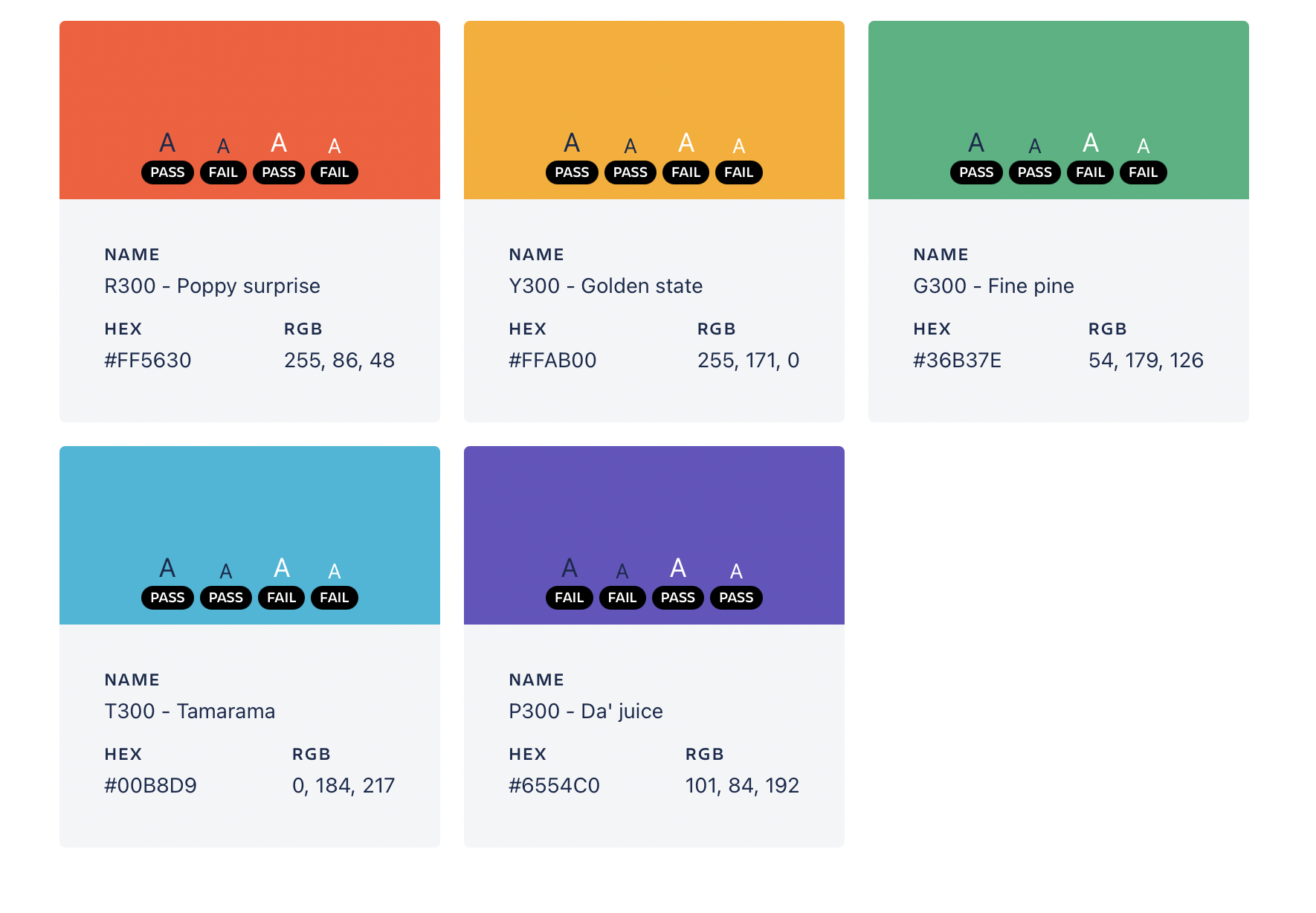
Purpose
Inviolable design systems hold a clear set of purposes behind them.
Technology needs to evolve, to regenerate, through a circular system that encourages coherency, long-term use of products, and a systematic workflow to survive with uncertainties. Design systems can shape the future of digital products, they open up new interdisciplinary ways of collaborating and creating.
Here are ten other reasons that demand the need for a design system.
- Human Connection: digital platforms that nurture human connections should be designed with empathetic, inclusive use cases at their heart. Design systems' interdisciplinary ways of collaborating and creating, foster that from the very beginning of the design process.
- Inclusive design: They back up accessible design guidelines, inclusive design, and redesign approach choices. These are essential for designers, developers, governance, businesses, and users.
- Flexible patterns: Design systems come with adaptive and shape-shifting components and patterns with firm guidelines and principles. These are designed to fit increasingly flexible, dynamic ways of the digital experience.
- Centralized resources: The centralized resources and design components become increasingly reclaimable, serially reusable, and regenerative. They can be reoriented to make alterations, create new variations, and innovate at scale.
- Circular growth: Design systems broadly focus on users and the relationships between components and systems over and over through the cyclical web design and development process. This helps for systematic growth and consistent progress.
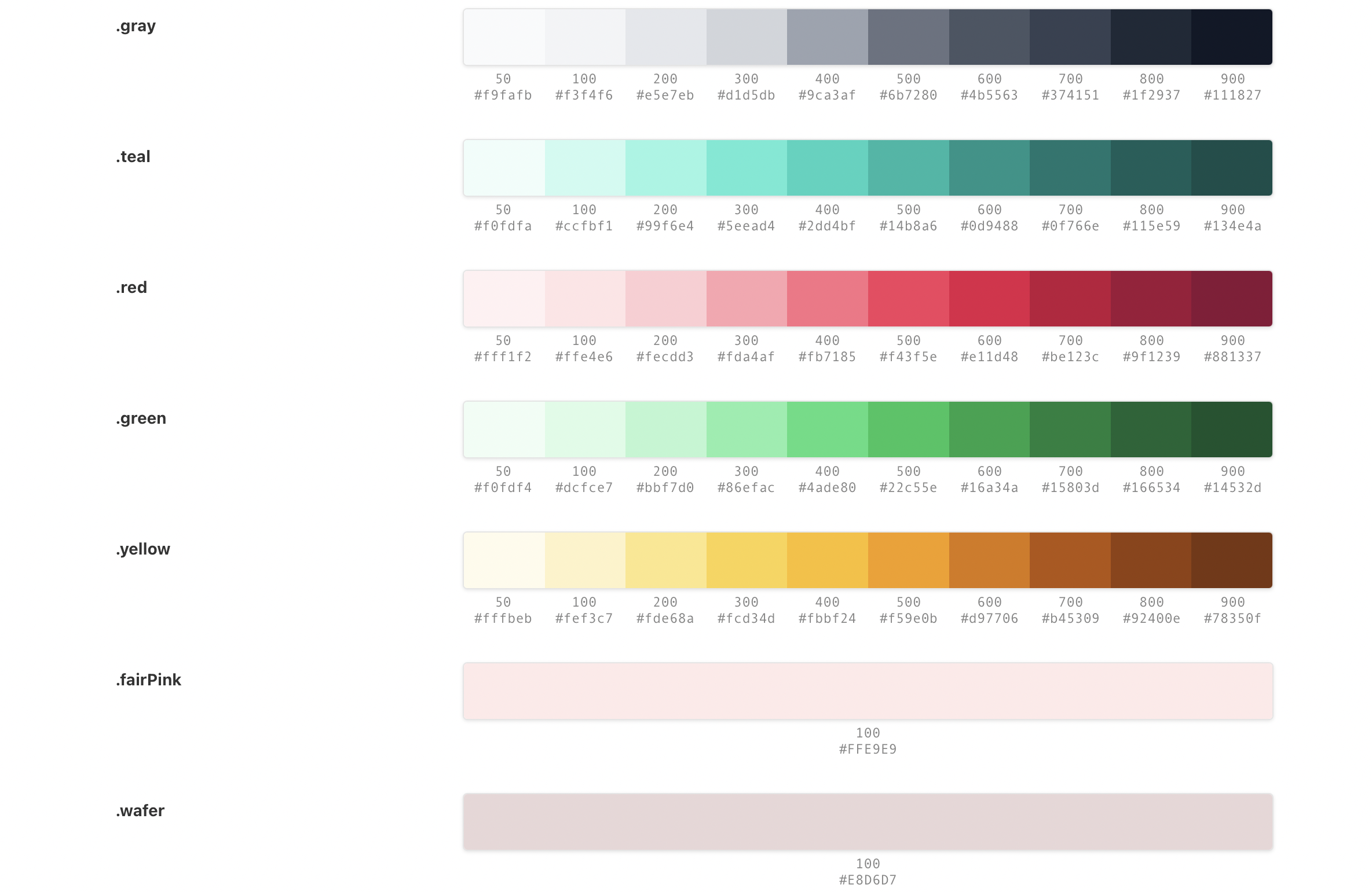
- Creative freedom: Design systems leave space and time for focusing on user research, problem-solving approaches, iterative feedback, and open communications about user experience as opposed to debating padding, colours, and type choices.
- Business wellness: They push teams to work together in the same direction enabling them to rapidly prototype and experiment with ideas in high fidelity — ultimately saving time and money.
- Empathetic advances: The true value of digital products resides in valuing people over profits. The time spared for focusing on research often leads to personas. Personas enable a clear vision of the people’s needs and solutions that businesses should take to succeed.
- Efficient strategy: Design systems streamline the design and development process efficiently by decreasing the amount of time it takes to design, build, and ship new websites, products, and features.
- Consistent Evolution: Design systems help to find a way to effectively create and openly communicate — commonly shared design guidelines. This helps everyone to work in the same direction. Consistent evolution is important because working individually leads to reinventing the wheel, bloating the code, and damaging the brand, product, user experience, and mostly falling out in the process.
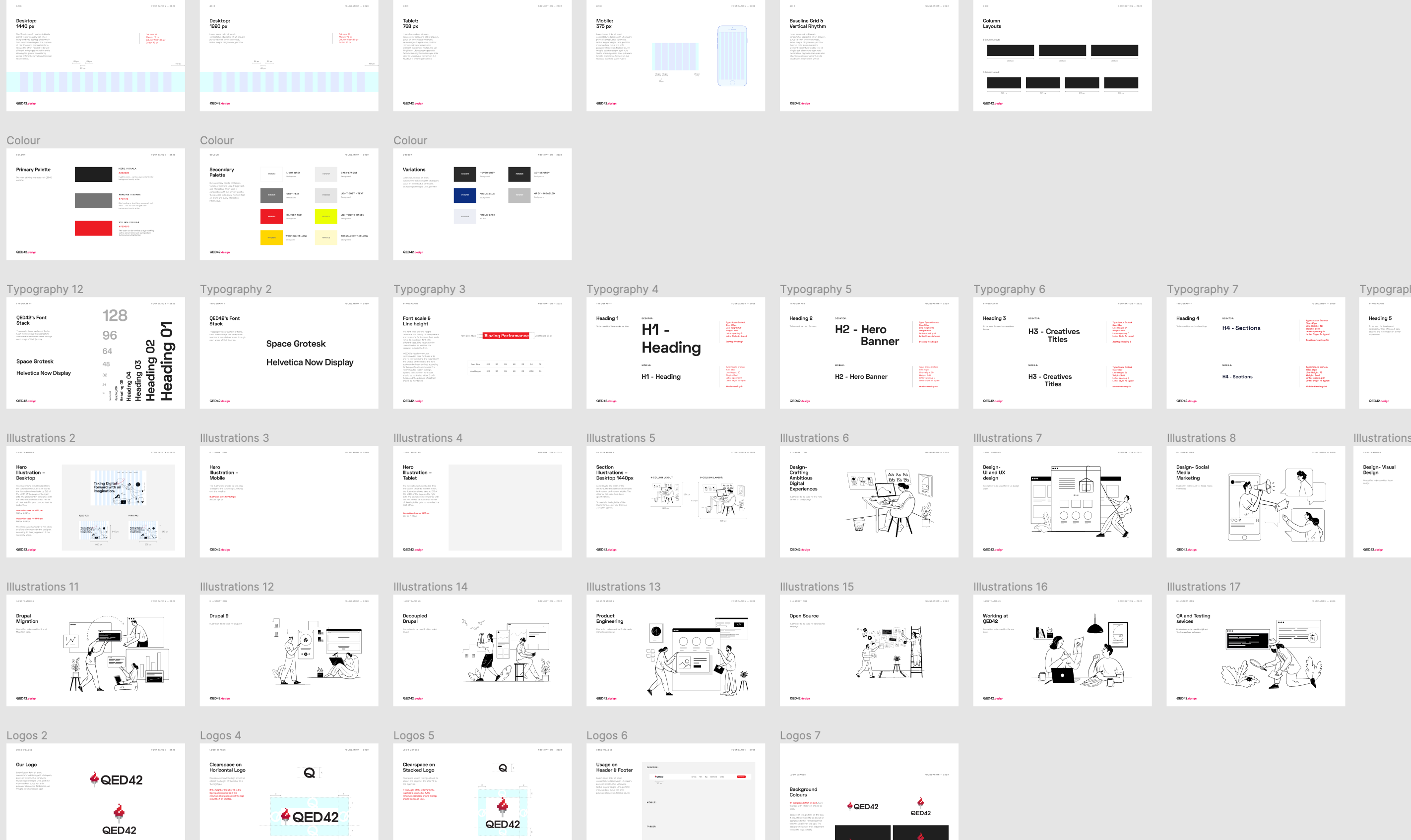
Principles
Design system principles are its foundation and simply a way of guiding its usage.
The principles of a design system can enable to stand out technology and design to elevate the lives of people and brands. These principles have the power to adapt and evolve, they establish the foundation for the creative processes. They help to effectively present the brand under the same design language.
The principles of a design system help teams with management and quick decision-making. These few simple principles guide the team toward rational solutions without much discussion.
Everyone who uses the design system should be aligned with its guiding principles. Teams work better when they are aligned with a common vision, set of standards, and a way of moving forward.
Building with systems, purpose, and principles makes sure that the design systems can be used by everyone. They play a fundamental role in crafting alternative end-to-end user experiences that are sustainable, inclusive, human-centered, consistent, yet functional and applicable.
Reminder — Take a Coffee Break or just have some water maybe, Happy crafting!
.avif "Basic Principles of Good UI Design")
Basic Principles of Good UI Design
One of the most crucial aspects of a web product is its UI (User Interface) design. Every interaction that a user has with a web product is a part of its user interface. A good UI design is essential to a good user experience. When implemented well, users barely even notice the UI. However, when done poorly, users face difficulty getting past it to use a product efficiently.
Creating beautiful, logical, and sustainable UI takes time, effort, and an understanding of UI design principles. The prime focus of good UI relies on different visual elements like buttons, text, visuals, sliders, text entry fields, typography, and colors, including screen layout, transitions, interface animations, and every single micro-interaction.
There are many UI design principles and they usually intertwine with each other for better product decisions, consistency, and resonating with users. In this piece, let’s look at the five basic principles of good UI.
Contrast
Color contrast is everything. A good color contrast benefits all users especially those with low contrast sensitivity.
Contrast directs to how elements in an interface stand out next to each other. A good contrast ratio also helps in prioritizing the important information and in guides users’ attention towards the most important part of a design.

Color
Colors could be considered as a subset or element of the UI principle — contrast. The use of color is one of the most impactful aspects of UI design and end-user experience. It helps to invoke emotions and messages, which is why designers often resort to color psychology to get important messages across.
A good color palette is one that meets web accessibility guidelines and helps websites to provide an inclusive experience. The understanding of colors can be a challenge, but when used in the right context, colors can convey enhanced meaning and add value to web products.

Hierarchy
A hierarchy is a system or organization that has many levels from the lowest to the highest and sometimes from the highest to the lowest. Setting up a hierarchy is how UI designers display the importance of elements that exist within the interface.
When a design has a variety of elements, then it is more likely to have one component or message that is communicated to the audience over other visual elements. As a result of which, more weightage is necessary to provide added stress on the component or message. This is achieved with the help of different methods such as enlargement or boldening of texts or placing them in a position that makes them easily visible in comparison to other information.

Patterns
Patterns are a repetition of design elements that work together as a whole and are often referred to as the set standards of how specific elements are designed. They are recurring design solutions that provide uniformity, unique identity, and built-in intuitiveness to create a UI pattern.
Some of the most well-known components of UI design that deal with patterns are - dots, shapes, and lines.
Dots are often referred to as ‘points’ around marks. A dot is considered to be the building block of every element, such as lines shapes, and textures.
Shapes are confined by an actual or indicative line. Lines are the basis of shapes. Several UI components are made up of simple and easy shapes that are in turn formed from the basis of shapes and lines.
Lines are defined as continuous movements of a dot along the surface. Lines are of different types and can convey a variety of messages and emotions depending on the structure being used, such as - Thick lines for strength/emphasis and thin lines for delicacy/weakness.

Space
Space is directly related to the proximity of the elements on a page when grouped, with regards to their position or characteristics. Often there are spaces in a design that do not contain any design elements in it, effectively leading to empty spaces or ‘negative’ and ‘white’ spaces.
However, unlike their negative connotation, white spaces serve an important purpose in design, because it gives the elements in the design room space to breathe. It also helps in highlighting specific aspects of a design and makes the elements easier to distinguish. Thus, typography is considered more legible when the upper and lowercase letters are used as negative space.
Negative spaces are often used to create secondary images as well and that in turn acts as a valuable addition to branding, delighting end-users.

The user interface is the root of engaging user experiences that has to be built on a foundation of UI principles. Before designing, consider these five fundamental UI principles for building simple, credible, and sustainable interfaces for a wide set of users.

Synthesising UX Research
UX research is an essential process in design. It helps designers to understand a brand or product, analyse target users, consider possible prototypes and outcomes and ensure the collation of the data received. A systematic process for reviewing the data collected helps to reduce the missing out on invaluable insights. This is why there’s an additional step that enables designers to zoom out and look into their findings through a process known as Synthesis. In this blog, we will be discussing what synthesis is, its importance and what are the steps involved in the process of it.
Synthesis in UX Research
Synthesis is the step that comes after the designer has understood the problem statement. Once the UX research is conducted and sufficient raw data is received, it is converted to valuable insights. It is the process of creating intuitive concepts based on the facts that are being analysed. When considering UX research, it typically means the conversion of themes and ideas into meaningful information.
Simply put, synthesis is a process wherein a researcher tries to make sense of the data collected using UX research. It works to create a model of reality that includes journey maps, personas, and affinity diagrams to help gain a better understanding of the problem statement at hand and use it in both internal as well as external communication.
Importance of Synthesis in UX Research
Often, the importance of synthesis is undervalued, mostly because of short deadlines and tight budgets. This ends up leading designers to either forego the process altogether or rush through it to be able to ensure timely deliverables. What is often overlooked in the process is that synthesis makes it easier to take concrete actions on the research that has been conducted.
A necessary aspect of research lies in asserting its value through synthesis. It is the stage where great ideas happen. For example, if designers were to design a product that no one was going to use or interact with, it would lead to a complete waste of the project’s budget. Similarly, research and synthesis when conducted and there isn’t any concrete information available on the design and concepts, there is an equal risk involved. These are the risks that synthesis and analysis help to solve.
Steps to Synthesise in UX Research
Synthesis is a collective process that leads to creating a coherent summary of all the data gathered during UX research. Synthesis can be explained in 3 primary steps and they are -
Documentation of Interviews
Is one of the best ways to make sense of the data that’s been collected. Documentation helps to gather all the data that’s been collected from interviews in the head. The transcription of these interviews onto sticky notes and notebooks aids in making the information concise. It works best when each of the interviews is highlighted using different colored post-its. Due to the complexity of understanding a lot of data, being organised can help. By color-coding research, such as using a particular for a certain type of user or research activity. This will aid in creating concise and complete documentation of the UX research conducted. Also, breaking up the research conducted helps to ensure no data gathered during previous sessions is forgotten.
In this way, each research activity will have umpteen post-its consisting of every small insight received during research. Also, by sharing all the information gathered, wrong assumptions regarding user needs and wants can be addressed.
Organising Mess
As contradictory as it sounds, this is the stage when all the data is gathered to find common themes and patterns. Organising data helps the researcher build a common understanding of user needs. It helps UX teams reach a consensus about the most compelling insights and constant concerns being faced by end-users.
Gathering all the information saved in the documentation step, and moving the most convincing, and inspiring insights into a separate board helps review it easily. This is the stage of pruning and filtering because not all the data received during the previous discovery stage is of relevance.
It requires time, debates, and discussions to reach an emerging consensus. Thus, it is ideal to take things a little slower during this stage and have a fresh mind when interacting with the insights.
Thorough Interpretations
This is the step in which the UX team has to identify and interpret the groupings and relationships to make them detailed and informative. This is the stage in which the insights are thoroughly refined. Through the identification of groups and the development of connection, the introduction to a credible story on related elements is created. The aim is to acquire a concrete idea of user needs that can easily be conveyed in design opportunities.
A good understanding translates learnings from the user into concrete knowledge. While absolute accuracy isn’t necessary, having it helps in giving an abstract and definite form to the ideas. To ensure empathetic design principles, it is essential to understand the user and not work on preconceived biases.
Conclusion
Every problem in design is an opportunity. Framing the challenge properly and understanding the key insights available helps set up an innovative solution. While synthesis is an iterative and time-consuming process, the outputs from it aid in making better design decisions. When collated data and insights are passed onto design and product teams, there is a better and clearer understanding of not just the user needs and requirements but also a breaking of biases.
In conclusion, synthesis conducted in UX research is of prime importance in making easy-to-use, delightful designs. It is the process of sorting, organising, and altering raw data into useful information and is one of the most crucial and formidable steps in the UX research process.
TL;DR
- What is Synthesis in UX Research?
Synthesis is the process wherein a researcher tries to make sense of the data collected using UX Research.
- What is the importance of Synthesis?
Synthesising insights into higher-level themes helps in taking quick action on the research conducted.
- What are the steps to synthesise in UX Research?
Synthesis in UX Research goes through three steps, which are - Documentation of interviews, Organising mess and Thorough interpretations.
Building a Compelling UX Research Roadmap
A research roadmap holds immense value to a UX researcher. It aids in achieving an alignment and conveying set priorities, planning user experience data and studies, and focusing on the main goal of designing a user-friendly product/service. Also, while research is a good way to understand a user and their interaction with a service, by creating a step-by-step process of it, using a few focus principles aids in getting necessary data in order.
UX Research Roadmap
Having a UX research roadmap aids in creating definitive plans that focus on a team’s primary research goals and look into strategising ways of achieving them. It acts as a timeline regarding the studies that are to be conducted in order to attain those goals.
A UX research roadmap acts as a blueprint of the research conducted, regarding the goals related to the user experience of a service/product, user research as well as the user interface. Product teams utilise this roadmap to ensure usability remains the main priority through the stages of development of a service/product.
Creating a UX Research Roadmap
Every new project or product team attempts to gather ideas by compiling them into a research document. By creating a UX research roadmap, there is concrete documentation of the steps involved, making the process easier in the years to come. The process involved in creating a UX Research roadmap is quite explicit and is formatted through -
Understanding and incorporating stakeholder requirements
Accounting for stakeholder needs is one of the most invaluable ways to create an impactful UX Research roadmap. One of the best ways to understand team needs is through conducting stakeholder interviews, which includes not just the designers who are working on the service/product but other members of the product team as well. The primary task of every researcher is to help the product team through practical insights and synthesis of the interview. The most ideal way of placing these studies is through a clear understanding of the product’s roadmap.
Assessing the current status of the research conducted
One of the best ways to evaluate research is to assess it with existing research material. By looking into data that has already been worked on, a clear understanding of what is already known about the product/service is achieved. Dedicating adequate time to understanding the existing knowledge of the UX team regarding a product and its potential users, not only helps save significant time but also helps to avoid doing repetitious studies.
Identifying primary research goals
On the basis of stakeholder needs and pre-existing research material, identify the primary research goals and main direction. This will help to list out the important questions regarding users and the product. This will also help to improve best practices and existing frameworks. It also enables sharing of knowledge and information, leading to better data-driven insights that help UX teams design better.
Planning research studies
After the identification of key research goals, it is necessary to focus on what the studies will help to achieve. While tactical studies focus mainly on the product roadmap, strategic studies focus on achieving the long-term goals, including creating personas and understanding whole user journeys.
Creating a timeline
This helps to make communication with stakeholders a lot easier. Distributing the studies conducted and insights received helps create a clear overview of the timings of all the studies. Adequate time should be given in order to procure meaningful insights. UX teams are usually able to provide rough estimates as to how much time is necessary to create the first prototype, thus enabling the planning of evaluative analyses accordingly.
Sharing the plan
Once the roadmap is created, the plan is shared with the stakeholders. It is necessary to highlight the gaps and ways of addressing them. Sharing the roadmap with stakeholders assures them that their invaluable insights have been taken into consideration. It will ensure they continue to provide unbiased feedback and establish a persistent engagement as your UX team embarks on the research roadmap.
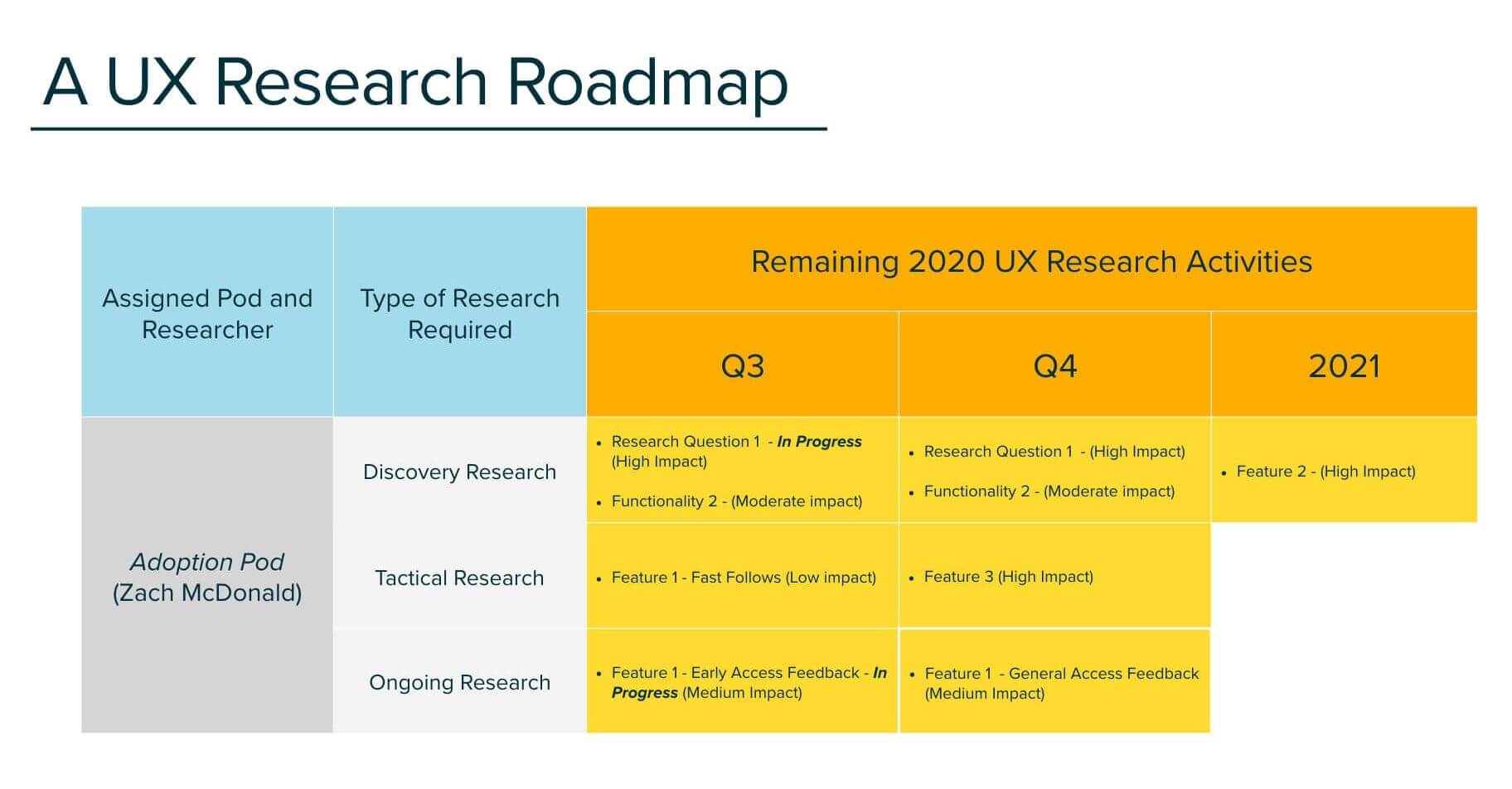
Benefits of a UX Research Roadmap
Some of the key benefits of having a UX Research roadmap are -
It assists in prioritising user experience throughout the stages of development
When designing a new product, UX teams often focus on what they’d want the product to do and the features it is looking to incorporate within it. By assembling a UX research roadmap, development teams are able to build an understanding of the company goals and user expectations and work towards aligning the two to create flexible and smooth user experiences.
It aids in considering minor flaws and requirements that would have been missed otherwise
Having a dedicated UX Research roadmap is advantageous to the UX researcher too. It helps in keeping track of all the data from all research sessions in a set format and ensures no insight is missed or goes unnoticed. In this way, vital information that might have been overlooked gets added in as well.
It helps to reinstate the importance of UX research and usability
Forming a favorable user experience is a noteworthy factor in a product’s market success. Along with the benefits discussed, a UX Research roadmap also affects a product's success significantly. By maintaining a UX Research roadmap, cross-functional teams are made aware of the importance of user experience to a product and also understand the need behind having a dedicated roadmap for it.
Conclusion
A UX Research roadmap aids in communicating what the entire UX team is working on. It helps to champion usability and also enables the UX team to work in a synchronised manner, ensuring no vital information goes unnoticed. While no one product is similar to another, having a research roadmap guarantees that there is a fixed path followed, when interacting with users, stakeholders, and the product at hand. This assures that the user is always given prime importance and keeps every member of the team well informed of the research conducted and the data available at hand.
Get started with the Figma template created by Arsalan Khatri and UX Research projects management board by Santiago Balseiro Gomez
TL;DR
- What is a UX Research Roadmap?
It is a blueprint of the research conducted, regarding goals related to the user experience of a service/product, user research as well as the user interface.
- How to create a UX Research Roadmap?
The UX Research Roadmap is a six-step process, consisting of - Understanding and incorporating stakeholder requirements, Assessing the current status of research conducted, Identifying primary research goals, Planning research studies, Creating a timeline, and sharing the plan.
- What are the benefits of a UX Research Roadmap?
The benefits of a UX Research Roadmap are - It assists in prioritising user experience throughout the stages of development, It aids in considering minor flaws and requirements that would’ve been missed otherwise and It helps to reinstate the importance of UX Research and usability.

The Process of UX Design at QED42
The idea behind having a process isn’t just about trying to be organized amidst the chaos. While it does play an important part in giving us trusted and well-structured ways of performing tasks, it doesn’t always stand true on every project. In reality, as every project has certain requirements, trying to work it out using a particular process, doesn't hold much sense.
Having said this, we do have a specific process in place that we like to follow, along with certain additions and subtractions, as per project needs. While sometimes the process stays as linear as can be, sometimes it’s a combination of pieces, while other times we decide to follow something completely new, while trying to stick to the basics.
Nonetheless, QED42 does have six core steps that we mostly stick to while phasing out, as per project needs. Our process and how we go about it completely depend on the project at hand, business vision and values, and most importantly on people who are going to be using that product.
The Zero Phase
This is our empty headspace zone. It’s where we take a step back and try to process and understand the client brief, sometimes even before signing on the project. From this phase in the design process, we start interacting with the project outline. During this phase, we take in all that the client has to offer - from the product brief to the project in hand as well as the people we’ll be working with. This helps us know each other on a very human level and enables us to better understand client requirements.
The Zero Phase requires a collaborative approach to the project brief. It helps us find answers to some important questions and understand the why what and how of the project at hand. During this phase, our team of UX designers starts brainstorming around the product at hand. We kick-off this phase through:
A collaborative creative briefing
This is when we take everything in and document every tiny detail coming our way. This includes finding answers to some very important questions like - what is the product about? what are its goals? who are the target users? what are the product’s business goals? Gaining knowledge on these insightful questions and creating a live document helps us stay focused and on the same page. Any and every change that’s decided upon is agreed upon by everyone and the brief is updated accordingly.
Putting together all the hopes and fears
This is similar to a post-it exercise wherein the whole team puts all of their hopes and fears out on the table. In doing this, we can put together those points that are a matter of concern to us. This can include baggage from other projects and other competing priorities. By putting them out on the table, it becomes much easier to avoid them. Secondly, it puts into perspective all the different ideas everyone has and what each individual is excited about.
Planning and Strategising
Post the Zero Phase, we move into the Planning and Strategising Phase. This Phase helps us understand why the project exists and who will benefit from it.
We conduct this phase with the client through -
- Interviews
- Questionnaires
- Time Frame
The idea is to understand people better. And the only way to do that is by being inclusive. In the Planning and Strategising phase we look into the requirements and timeframe needed to build and conduct a design research and project plan. In this stage, we try to understand better by asking more questions to real users and listening to them carefully. This typically acts as our product research phase, wherein we conduct different research methodologies including individual in-depth interviews and workshops with stakeholders.
We move on to creating a design strategy that focuses on helping your business decide the next plan of action. A Design strategy allows us to clearly define who the target audience is, what they need, and how what we create can add value to them.
Some of the deliverables that are a result of this step are -
Creating a research document
The research document helps us to understand the people we are designing the service for and the reason behind the existence of the product. During the creation of a research document, our team of UX designers begins to brainstorm around the idea and share the same with the potential stakeholders. This document contains data collected through - value proposition mapping and concept sketching. It includes an overview of the product's objective, team setup (who will design and develop the project), communication channels (how they will collaborate), and the expectations of stakeholders (such as KPIs and measuring the success of the product).
We usually end the planning and strategising phase with a project kick-off meeting. The kick-off meeting brings together all key players, to set proper expectations from both the client as well as the product team.
A comprehensive strategic presentation
The strategic presentation would be a modified version of the design brief stage that was started in the previous stage. It helps to give vision and kick-start the creative journey. This phase provides answers to certain key questions, such as - what is our POV in the project, who are our target users, the relevance of the project, how we plan on overcoming unforeseen obstacles, the position of the product in the current landscape, what are the key insights and what are we trying to achieve.
This is a single source of truth that we keep coming back and referring to and one that clients too keep in handy so that they’re able to share with potential investors and new teammates.
Image Abstract and Conceptualising
With a set foundation in place, we move on to conceptualising and sketching. This is a ‘no barriers’ phase that gives us a design direction, so all sorts of off-beat ideas, small and big, weird and unique are put out. This allows us to dream big and focus less on the constraints that are equally present but can be dealt with later, one step at a time.
Eventually, after consulting with the stakeholders, certain concepts emerge that are taken forward for further exploring. In this phase, we look into creating -
User personas — fictional characters that depict real users that will be interacting with the service being designed. We refer to these personas as a realistic representation of target users, when designing the product.
User stories/scenarios — a casual and relaxed user story or scenarios about individual product features written from the perspective of the people it’s designed for. They create a bridge to explain the user experience in a real situation through textual representation.
Storyboarding — storyboards are a way to explore and illustrate user stories or scenarios visually. They help identify a problem that may come later while prototyping, testing, and developing the idea.

Solution Building
Once we’ve worked on our concept, the next step is to put together a system to ensure all the details are in place. This includes finding solutions on - how to ensure the system stays organised, the detailing on every page, how the experience might vary for new users and existing users, and the like. The solution stage typically includes an information architecture and locating of user flows.
The information architecture includes the product and marketing of the design service. This is the stage where all the pieces of an app or service come together. It acts as a precise and organising principle to help people easily interact with the product and scale it according to requirements.
The user flows help us take into consideration secondary and temporary flows that might arise depending on the experience of a user. While the Image Abstraction phase gives us a glimpse of the primary flows that include the most common path taken by a user when interacting with the product, the Solution Building phase enables us to counter the remaining unforeseen flows that might surface. It usually takes a significant amount of time to deal with these flows, depending on the number and intricacy of the pages.

Design Phase
This is when we begin to design and work on the concepts we’ve decided to focus on. The product team starts by creating the actual information architecture and UI design. This is an iterative and collaborative phase wherein all team members participate and validate their ideas.
During this phase -
Sketching — helps to visualize the ideas we have in mind. By sketching all our ideas on a board, or on paper we can visualise a broad range of solutions before finally choosing to go ahead with one or more of them.
Create Wireframes — this helps us in visualising the basic conceptual structure of a page along with key elements, to understand how they’d all fit together. Using wireframes helps us when creating prototypes and mockups of the product.
Prototypes — helps to understand how the user’s actual interaction experience with the product. We opt for both low-fidelity (clickable wireframes) to high-fidelity (coded prototypes), depending on project requirements and specifications.
Testing
Once the concepts are figured out, it’s time to move over to the testing phase. This phase works in tandem with the concrete phase. It helps to validate the concepts decided and look into the usability and feasibility studies of the product being designed.
The usability studies are usually conducted on the product with the prototypes. These can both be formal as well as informal. This is sometimes an ongoing process and can take place throughout various stages in the design process as per our requirements.
The feasibility studies are conducted for future-proofing the brand. We take into consideration, various scenarios and conduct thorough experiments by focusing on the future of the product and the brand. The business landscape is ever-changing, which is why it helps in staying prepared for all sorts of unforeseen situations.
In order to consider the feasibility studies, we try our designs ideas to actual real-world situations which are relevant to our clients. This helps in looking at the solutions to problems that exist today and might exist in the future as well. It enables our clients to visualise the future of their brand if facilitated properly.
Other than the feasibility and usability studies, the testing phase also helps us to consider invaluable insight into both quantitative and qualitative data.
We conduct -
Internal Test Sessions — once our design team has iterated a product wherein it has reached a stage of usability, we begin to test the product in-house. Our team members interact with the product to help us discover major usability flaws that need further work.
External Testing Sessions — user testing sessions with people that represent our target users help us in trying out a variety of formats, moderated and unmoderated usability testing, A/B testing, focus group testing as well as beta testing.
Analytics — uncovering quantitative data using an analytical tool aids us in a better understanding of how a user interacts with a product.
Surveys — provide us with accurate qualitative and quantitative data of real-time users as they interact with the product we have designed. We often add open-ended questions to the surveys to user opinions on certain specific features.

Documentation Delivery
This is the step wherein we finalise the assets. It includes the delivery of the documentation as well as the outlining of all the important components of the design. This makes future design compositions relatively easy to create. This is the final stage where our team of designers works to -
Create Design Specifications — this includes all sorts of visual design assets that are necessary for our product developers to turn a prototype into a working solution.
Create a Design System — this is the tool kit we use going forward. The intricacy of the design system varies from one project to another. However, there are reusable bits that our team of designers creates consisting of styles, components, and patterns that aid both our developers and designers to be in agreement regarding the design. These reusable aspects help to ensure the present implementation stays solid and future endeavors have an easy start for both design and development teams.

Hand-off
Finally, once we’ve looked into the design guidelines and worked out the UX outline, we do an in-person hand-off with the client team so that in case they have any queries that require answering and further elaboration, it is done there itself. This aids in helping the team further setup itself up for success while going forward.
If there is any other doubt or in-depth understanding or analysis necessary, we provide a masterclass or sorts, wherein enhanced guidance that includes an overall brand overview, design sprint, and hands-on tactical training is provided. This helps the client to not just test the brand with the help of real-world references but also gives them answers to all possible questions they might have.
---
If you liked this article, you would also like to check out our profile on DesignRush. Simply click here to visit.

The ROI of Digital Accessibility
Research suggests that over 1 billion people in the world have some form of disability. That is around 1 in 4 people or roughly 15% of the population, at large. Almost everyone around the world is impacted by some form of disability; whether temporary, situational, or permanent.
Having a business module that focuses on accessibility ensures profits and user satisfaction by making your digital product available and accessible to a greater magnitude of people. Simultaneously, it aids in optimizing workflow by taking into consideration the greater number of people from before hence, increasing a business's market share. With this thought in mind, let us have a look at how paying attention to accessibility can help businesses achieve higher ROI and how to evaluate those returns.
Calculating the ROI of Digital Accessibility
By making the product usable to a greater number of people, the efficiency it entails corresponds to greater revenue and leads to profits upward of 50%. Also, ensuring your product is accessible prevents unforeseen lawsuits and public exposures, and ignoring its effectiveness can lead to customer and revenue loss. Considering a positive ROI from Digital Accessibility, requires an increase in customer retention, increase in new customers and decrease in the amount being spent on acquiring new customers.
Measuring the ROI of Digital Accessibility
Most businesses are waking up to the idea of profitability that can be achieved from providing Accessible services. There are reduced risks from lawsuits to a strengthened user-friendly brand presence, improved user experience as well as increased productivity. To consider the ROI of Digital Accessibility within an organization, the following factors need to consider -
Enhanced Usability — Accessibility affects usability. Designing for people belonging to the disability spectrum helps in benefiting many other users who might have less acute and temporary conditions and limitations. This includes those having age and other social constraints as well. A simple and clear design can help benefit all people and not just some with specific disabilities. For example - Apple’s Siri, which was initially created for visually impaired people, is now used by those having clear sight too. Also, according to research conducted by Forrester, out of a total of 319 companies, 252 have agreed that having inclusive software helps improve usability and user experience.
Increased Return on Investment (ROI) — Including accessibility into a website or an app is cost-effective since one has to carry out audits, additional marketing as well as training. But, the benefits of these usually end up out-weighing the costs incurred from these additional steps. For example - UK’s supermarket Tesco conducted research and found that by turning their website and other digital services accessible, they were able to drive up yearly sales by £13 million.
Improved Branding — A brand that cares for people and looks into their preferences and difficulties is more likely to be preferred over one that doesn’t consider all its users. The 2019 Porter Novelli/Cone Purpose Biometric Study research shows that 86% of people preferred a company that catered to all users and 64% wanted to invest in it.
Avoiding Litigation and Complaints — Most countries around the world have laws that protect people with disabilities. Thus, to avoid such unforeseen lawsuits, a company must be compliant. The idea of digital accessibility can be immense and even daunting for those that are aware of its progressing legal indications. The ADA (Americans with Disabilities Act) has grown to observe the digital sphere as ‘places of public accommodation’ and Section 308 has specifically ruled for the Federal government and businesses that deal with it are to be digitally accessible. The Retail Services, Food and Education sector is the most susceptible to these charges, although it isn't limited to them only.
Conclusion
Regardless of a business or organization, accessibility is a necessity. Having a universal design is beneficial in the long run, especially if one is to look at it from a profit viewpoint of business and users alike. The need to prevent discrimination from being part of a design is important for a business to strive in the current digital ecosystem. By simply making an accessible website, a business might be saved from unforeseen litigations and save money in the long run, but what is equally necessary is, to design a product that is directly marketed to people with disabilities. This ensures usability and accessibility and that in turn plays towards positive growth for your business.
The ROI of Digital Accessibility not just helps your business seem more approachable but it is likely to get more users on board when they notice the usability of your product and that in turn leads to the overall growth of your product.

Designing for Digital Accessibility: Creating an Inclusive Web Experience
AX or digital accessibility experience is designed for people with and without impairments to access, absorb and understand information on the web. Disabilities are not always permanent; they can also be transient or situational. Individuals with disabilities, whether chronic or temporary, can enjoy the same benefits as everyone else by building an intuitive user experience for everyone.
An accessible website allows a person with disabilities to interact with a product more freely. People with impairments can interact and obtain information more easily when a website is accessible. Making accessibility a focus has the benefit of ensuring that everyone has a pleasant user experience, ascertain that accessibility is incorporated into the design process from the start.
The AX Rule Book
Studies suggest accessible websites not just provide better search results but are known to have better usability, faster download time, and encourage good coding practices. Given below is a list of some accessibility rules to put forth in a website to ensure it is accessible and usable to more people - with or without disabilities.
Avoid the use of only color as a tool to emphasize crucial information
When attempting to highlight an activity, communicate something essential, or prompt a response, don't rely just on color. Attempting to interpret such information is tough for people with vision difficulties. Instead, use indicators like patterns and text labels and visual cues like underlined text styles to highlight links and font weight.
When color is employed as the only distinguisher, elements that convey more complicated information, such as charts and graphics, can be more difficult to grasp. Labels, varied sizes, and shapes, among other visual elements, can help communicate information more effectively.

Providing closed captions for audio and visual media
Captions in media files become accessible to everyone. Closed captions should be included with all audio-visual media on a website. This not only improves accessibility for disabled and non-disabled people but can also assist those who are unable to access audio/video. Text descriptions for audio elements help search engines to process the information and also aid individuals who can't hear the audio due to situational, permanent, and temporary.
Using adequate color distinctions
Colour contrasts are one of the most overlooked problems related to web accessibility. People with low vision tend to face difficulty when reading texts on backgrounds with low contrasts. A World Health Organisation survey states that around 217 million people around the world have moderate to severe vision impairments which makes sufficient color contrast between texts and backgrounds a crucial necessity for all web platforms.
Using labels and instructions for form fields and inputs
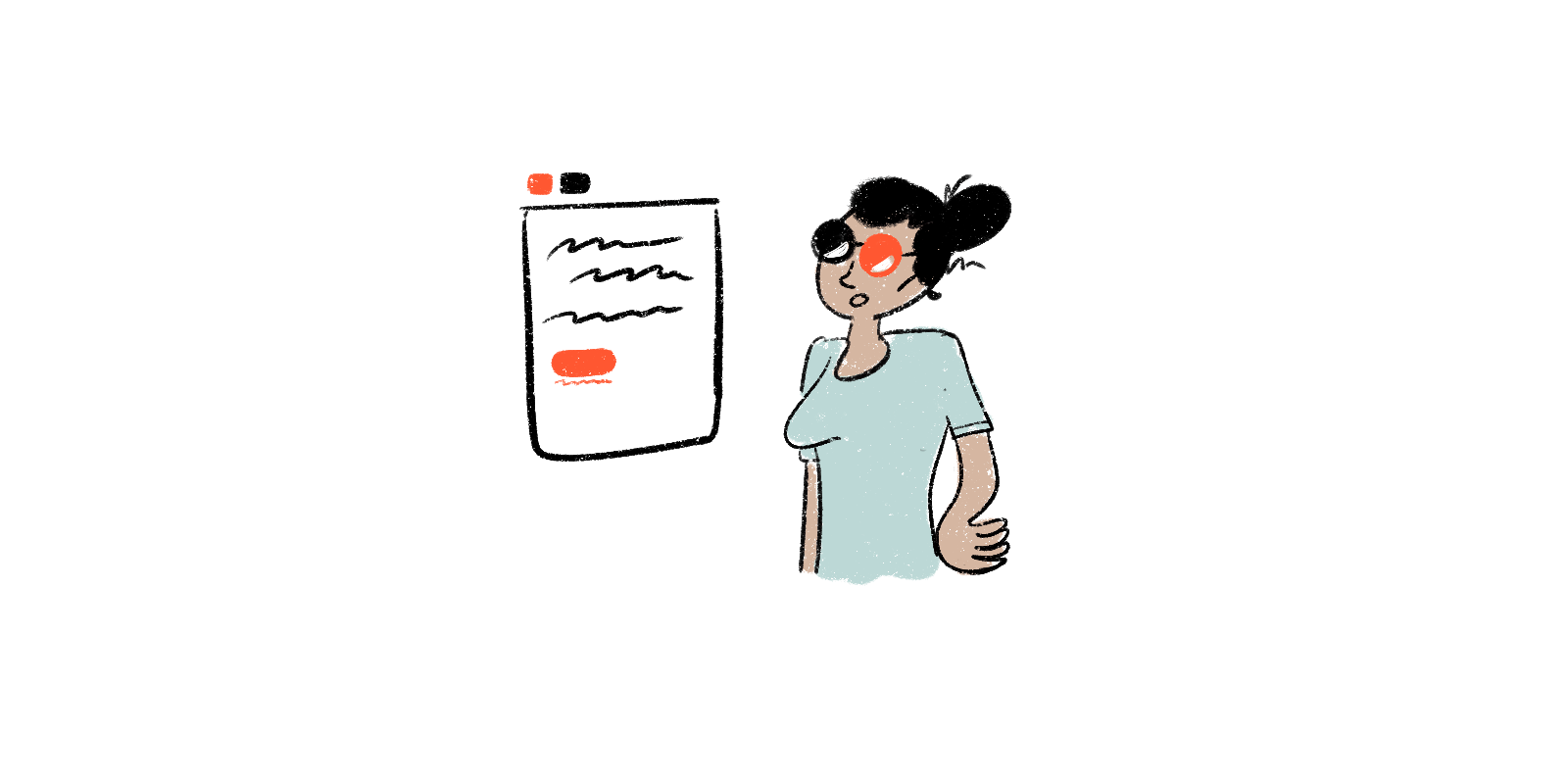
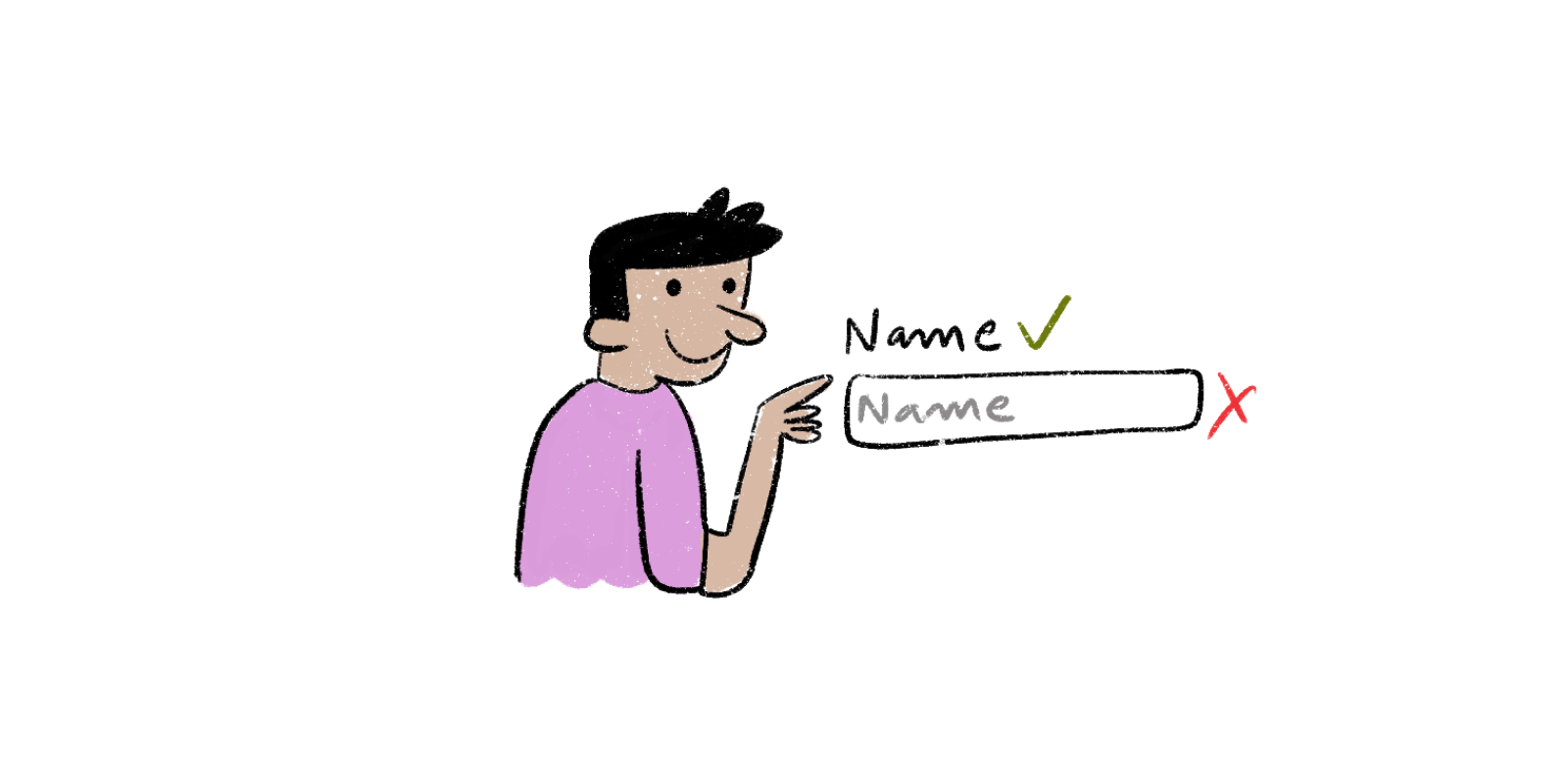
Use of placeholder texts as labels can be one of the biggest errors when designing a form. Placeholder texts usually have a grey shade to them and have low contrast, making them difficult to read. People opting for screen readers usually navigate through a website opt to jump through sites using the Tab key to jump through form controls. So, any non-label text that’s present as placeholder text gets skipped.
The idea is to help people understand what they should do by writing it down in a form. When designers opt to hide directions and descriptions in forms by opting for simplicity, they compromise on usability. By providing essential cues, a person is easily able to complete a task with less to no friction.
Designing practical focus indicators
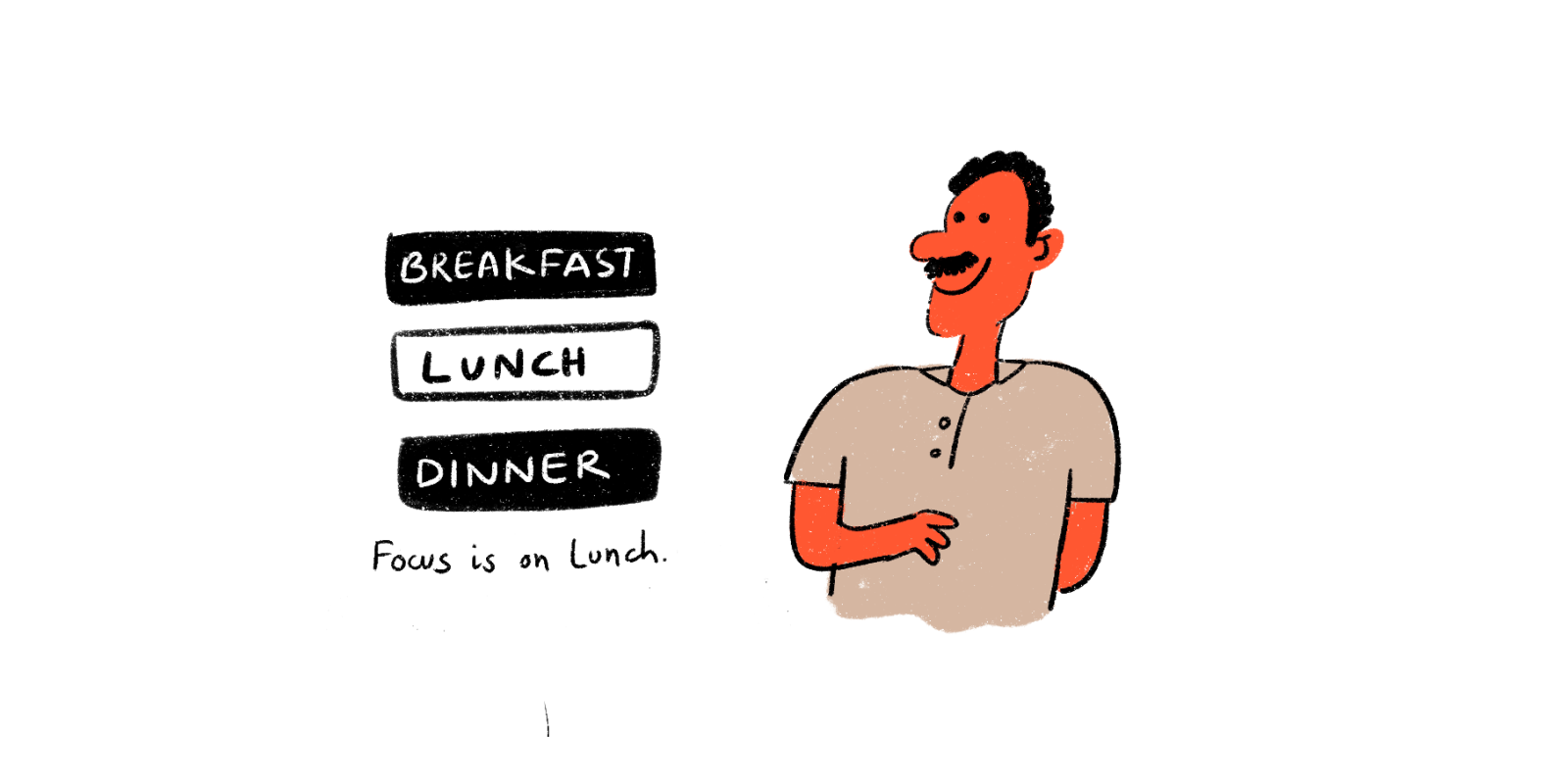
The blue outlines that surround links, buttons, and controls as highlights are known as focus indicators. When navigating a website, these help people understand where they are. They're especially useful for people who are blind or have limited movement and need to use screen readers.
Focus indicators serve to differentiate certain elements, such as hyperlinks, widgets, buttons, and menu items, from the rest of the page. They should be designed to match the website's and brand's style, with strong contrast and visibility.
Writing alt. text for images as well as other non-text content
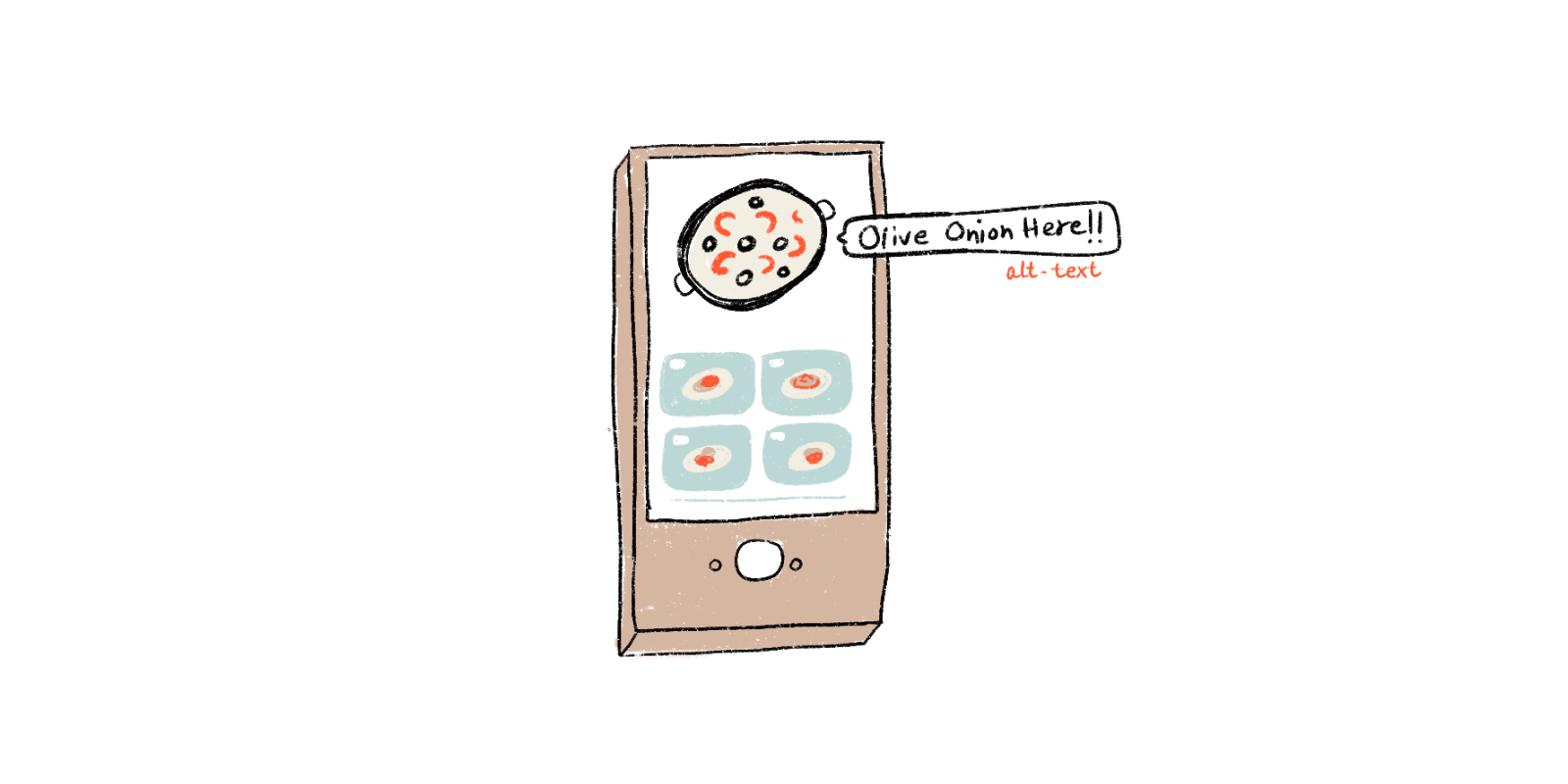
People who have low visibility often take the help of screen readers to hear an image and other non-text elements. Such tools help to convert text to speech so that the person is able to ‘hear’ the image. This can be done in two ways -
- within the <alt> attribute of an image itself
- within the context or surroundings of an image
Describing what an image conveys and how it relates to the narrative, helps in finding context to what is provided on a site. If an alt. text isn't provided, the screen reader simply reads the file name to the person and that provides a terrible experience to the person with a visual disability. By manually providing text that gives meaning to images, a person is better able to grasp the content and context of a page.
Using correct markups to a given content
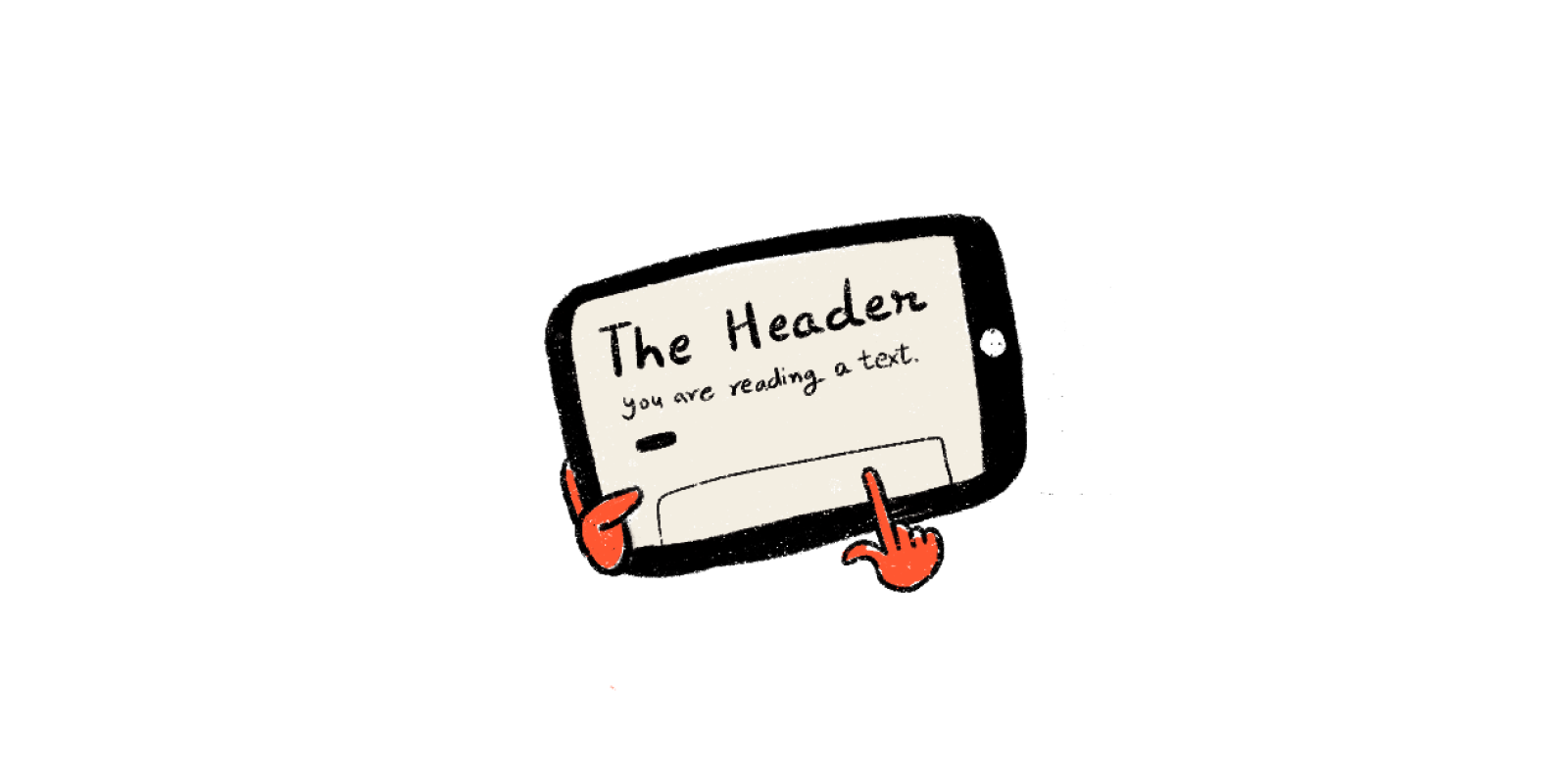
Headings are the tags that are used to describe the intent and style of the text. They mark the beginning of the content. Headings are also useful for creating the hierarchy of text on a page. Readers can better understand content orders with larger font sizes. Heading tags are also used by screen readers to read the content. By reading the headlines in a hierarchal flow, those with low visibility can acquire a summary of the page.
Using the right structural elements while building a site helps to communicate to the browser what kind of material it includes and how it should be treated. The incorrect usage of markups can have a significant impact on accessibility. People using the site can simply access and hop material based on their needs and flexibility because assistive technologies navigate webpages hierarchically based on the structure of the heading.
Providing supportive keyboard navigation
Keyboard accessibility is one of the primary aspects of web accessibility. People who are visually impaired, have difficulty in coordinated muscle movements, and have motor disabilities mostly rely on the keyboard to access and navigate content.
When navigating through a page, the order in which the interactive elements are placed is crucial, as the navigation needs to be logical as well as intuitive. The tab order needs to follow the visual flow of the page, i.e. - header, main navigation, content buttons and inputs, and footer.
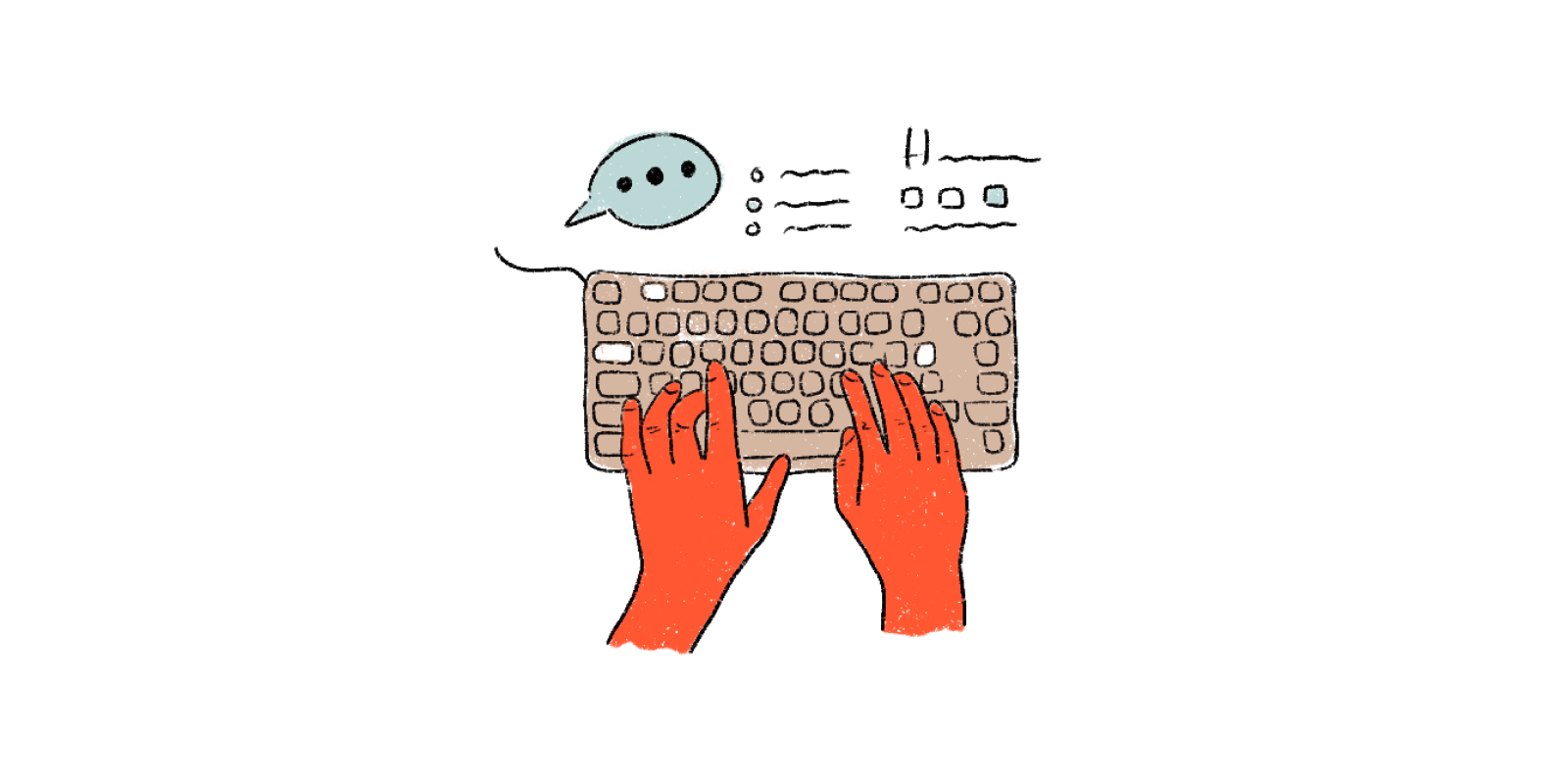
It would be a good idea to evaluate the site solely with a keyboard. This will assist in ensuring that all interactive elements are in working order. If the navigation can be done solely with a keyboard, the website's accessibility is already excellent. However, the size of the navigation should be kept in mind, as tabbing through lengthy menus can be too taxing for those with motor issues, and hearing long links can be exhausting for screen readers.
In conclusion
Designing for accessibility is a constantly evolving process. But, as designers, it is our moral obligation to champion digital accessibility experience, first and always. It helps to not just aid in the usability of the digital product but ensures relief to all users irrespective of their abilities, social and economic situation, age, location, and education.
Designing responsibly helps to ensure everyone has equal access to the web and its content. Providing accessible friendly options right from the inception of a product to its final release helps in ensuring that accessibility is a part of an idea throughout the development, right up to its release. Talk to our experts to know more about how we can customize design solutions that fit your accessibility needs.

Emerging Immersive Experiences
Imagine moving within a virtual world into a multi-dimensional environment without having to change your surroundings. Design along with technology has the ability to create such experiences. Immersive experience can move people into fluid realities without having them change their surroundings or themselves moving at all. It can create a user experience that can captivate the user and immerse them into a virtual world by appealing to the user’s sense of touch, sound, and sight. An immersive experience has the ability to create a compelling sense of presence. It blends in virtual reality within fiction and gives the user a sense of it ‘being there.'
What is an Immersive experience?
Immersive experiences are a growing field within the web design realm that enables people to be completely absorbed while bringing more inclusivity, precision, and personalization to traditional user experience design. The importance of immersive experience continues to increase in nearly every product category. The focus is on building enhanced experiences that are based on combining the use of extended realities (XR) or individual realities.
Immersive experiences are designed through a story-driven approach wherein designers simultaneously create virtual and dimensional environments and all that it contains. These digital experiences consist of images, processes, events, products, services, and environments as well as omnichannel journeys.
"The most powerful person in the world is the storyteller. The storyteller sets the vision, values, and agenda of an entire generation that is to come”.
— Steve Jobs
Designers create immersive experiences to deal with virtual and multi-dimensional environments within a time-based portrayal and story narrative. The focus is on building completely user-centered experiences to engage people in experiential, detailed products with distinct environments.
Ways of Creating an Immersive Experience
An immersive experience is created through artificial means that involve enhanced use of sight, sound, and touch. The experiences that we are trying to explain here could be clubbed as extended reality (XR) which includes VR (virtual reality), AR (augmented reality), MR (mixed reality), Immersive Audio, Immersive Video, and Immersive Audio-Visual experiences.
Virtual Reality —Consists of an artificial world that is non-existent and a person can completely immerse themselves as a participant and observer. VR systems consist of software and technical devices that aid in creating an illusion of being a part of the artificial world, sometimes allowing manipulation of objects too.

Augmented Reality — Integrates two initially separate spaces: the world of real items around us and the virtual world recreated on a computer, in a controlled way. The superimposing of programmable virtual objects on top of the camera's video data creates an immersive interactive environment. AR has particularly been used in the military, healthcare, advertising and gaming technologies.

Mixed Reality — This is the hybrid model of worldly insight that combines both the real and virtual worlds. It helps in creating interactive environments that consist of the full inclusion of virtual items into reality.

360° Content — Helps the person interacting with the picture/video to explore it in every direction at the sameemerging-immersive-experiences time and allows the person to rotate the angle being viewed to see all that is around while interacting with the picture or video.
.avif)
Types of Immersive Experiences
Understanding the world around us through a virtual spectrum can be a delight in itself. Being immersed in a reality that is designed to provide a realistic experience within a digitised environment creates a holistic experience for the user. Immersive experiences that make use of sight, sound, and touch can well be explained as -
Visual Immersion — Often special techniques are employed in moving pictures to help the viewer experience a perceived cinematic world as if were real, erasing the separating factor between the virtual and physical space. Visual Immersion is also used for people within the Autism spectrum to help them perceive images and actions better.
Audio Immersion — Also known as Immersive Sound provides heightened audible experiences through designed 3D effects for the user. It is a multi-dimensional approach of audio-based storytelling that immerses the listener within a sound system that is different from a traditional approach.
Immersion as the future of UX
The realm of immersive experiences is expanding. For designers, the idea is to create experiences that are people-first, which means as people spend more and more time online, designers should strategise, design, and build relaxing virtual escapes and protect them from the pitfalls of spending too much time online
Immersive design enables people to experience a reality where the explicit line between reality and virtual reality is blurred. Stepping into designing for the immersive world is to ensure that content isn’t confined within the boundaries of a screen. The focus should be on designing and engineering enhanced experiences that combine the use of visual and audio immersion. The result of this would enable the user to be immersed in unique, customised journeys. However, despite the immersive experiences being conceptualised, designers should ensure there is no compromise on the content being delivered. The focus should be on providing holistic designs that are able to create a captivating presence. It will help in blending reality with fiction and give the audience a feeling of the real world, within a virtual realm.
Conclusion
Immersive design and experiences that come out are all about creating stories within a digitised environment that gives a realistic feel to them. UX designers looking to create great immersive experiences put adequate research, storyboarding, prototyping, testing, and iterating before reaching conclusive ideas that ensure a great overall virtual storytelling experience for the user.
For UX designers, creating immersive experiences is quite similar to any other interactive process, wherein the focus is on providing an experience that is both responsible and ethical. This ensures people are able to engage and interact with the product while learning and being entertained. This holistic experience is built through the creation of a digitised realm that gives the person an experience of reality but virtually.

The ROI of UX Writing
Even though the digital landscape is fast-evolving, UX writing continues to be a relatively unfamiliar term. Over time, its importance has seen adequate relevance with more and more brands relying on copy to help with creating a more personal touch with end-users. It consists of minuscule texts that are seen when one visits the page of a product and it helps to ensure users face zero to minimal usability issues when they interact with a website or app.
ROI and UX Writing
UX writing is not just a process to create a smooth and frictionless user experience but ensures users are able to communicate with a website/app with minimum hassle and enjoy a comfortable experience. It removes all possible barriers that lead users to abandon a product and simultaneously encourages them to engage with the product. Thus, investing in UX writing not just ensures good ROI but also helps increase conversion and the profit margin of a product.
Measuring the ROI of UX Writing
UX writing may sound simple and ubiquitous, but it holds the ability to not just simplify technical difficulties and journeys, but also ensures retention of users. It is worth investing in since the returns are equally rewarding and long-term. Some of the key returns one can expect through investment in writing are —
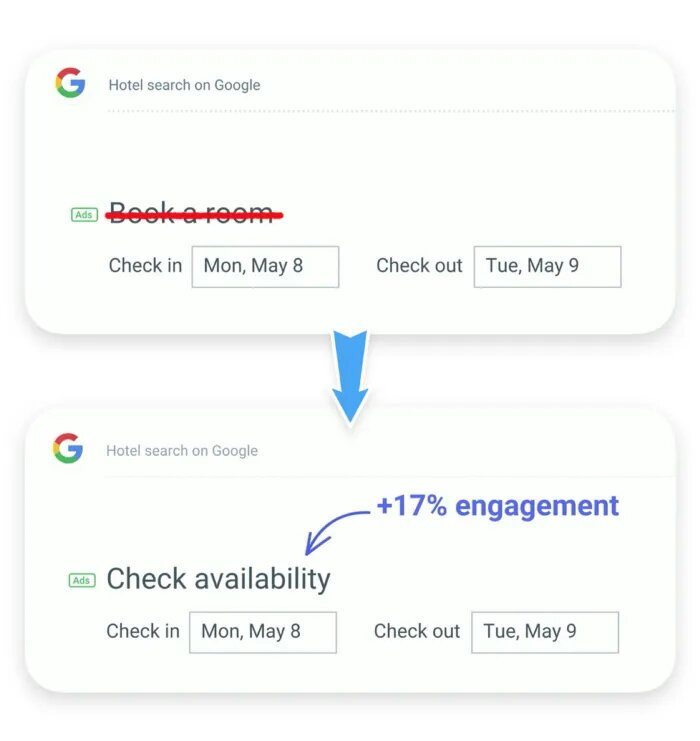
Increased User Engagement — UX writing ensures users have a smooth and easy experience when interacting with the website/product. When a user associates a website/app with easy, instinctive handling and a positive UX, then the user is more likely to engage and interact longer with the app, download it, and subscribe to its services. This shows a positive outcome on the search engine algorithm. In the case of ROI, higher user activity leads more users to take actions and that leads to greater revenue. Similarly, there is an increase in revenue through copy. For example, some years back, Google opted to change the microcopy of their ‘Hotel Search’ by changing the copy in its UI from ‘book a room’ to ‘check availability'. This small tweak led to a 17% growth in its user engagement!
Increased Conversion — UX writing isn’t content marketing but it helps in increasing traffic within the app/website, looks to drive action, and also encourages users to interact with the page, move forward, and take actions. It ensures users don’t reach an inconclusive dead-end wherein they might have to leave the site without getting to complete what they had originally come for. It helps users to confidently move ahead with their next step and be aware of how to go about it. For example - when a user looks to sign up or subscribe to a newsletter or mailing list or opts for push notification, it aids in reflecting good value to the user and provides them reasons to get on-board, thus increasing subscribers.

Lesser friction and more delight — UX writing has the ability to turn a dull and uncomfortable experience into a delightful and neutral one. By ensuring a smooth and fun experience, the chances of repeat users, as well as incoming new users, tends to increase. So, if a user is to visit a site and they are unable to figure out how to proceed to the next step or are unsure what outcome the next step might entail, chances are that they will drop off from the site. One of the better ways of preventing this is through the inclusion of UX writing.
Rewards of UX writing
UX writing no matter how minuscule the content is, works. Here are a couple of reasons that might affirm this thought.
It aids in solving technical barriers — While a product is created keeping all the technicalities of the user and creator well aligned, sometimes the user is unable to proceed. This may happen because of a lack of clarity or clear instructions. By putting adequate explanations that guide the user regarding possible steps and clarifying any doubts that might occur when they interact with a product. This ensures users don't opt for a competitor product over yours due to technical reasons.
It clears doubts — Users have questions and doubts when they interact with a product. Explaining and clarifying doubts even before they’re asked, by understanding their mental headspace through expressed empathy, helps in user-centric products. Good UX writing ensures users are made well aware of what they’re signing up for, whether they should be careful before entering certain sensitive information and letting them know whether the next step might give them the expected outcome they’re hoping for.
It motivates action — By introducing newer features within a product, it helps to motivate a reaction from the user. It can be in the form of purview texts, pop-up content, transient hints as well as banners - something that engages the user to interact with the product in a new way as they have the scope of doing so. Also, in the case of error states, it always comes in handy, by explaining the possible flaws in an action. This helps in contributing to increased retentions and decreasing churn.
Helps save Dev. time and decrease support tickets — UX writing helps to save Dev. efforts. Research by UX News Magazine states that it has the ability to save 1/8th of Dev’s time. Since Dev is a costly affair, saving their time definitely leads to excellent ROI. Also, the easier to comprehend the UI, the lesser the chance for a user to raise a support ticket for clarification of doubts. Since support costs money, saving their time will lead to a good ROI.
Conclusion
There are multiple benefits to incorporating the process of UX writing. While it is an extremely important element of the entire user experience, it also aids in clearing the path for the user by helping them understand complex problems through simple solutions. This helps in bringing the user up to the very end of the task they had initially set out to do. It ensures the user is able to move ahead within the product through increased empathy and motivation. This ensures the user spends a greater amount of time engaging with the product and that leads to an increased ROI and greater revenue for your brand.
E-commerce Website Design – 9 Emerging trends for 2022 and beyond
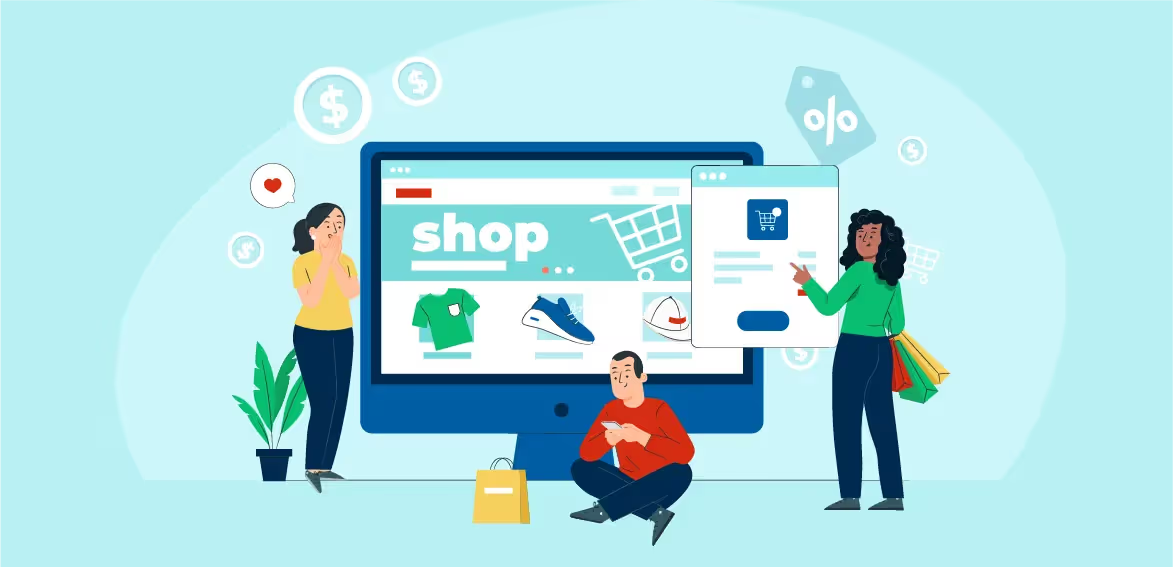
E-commerce has transformed the way shopping or business is done with continuous innovations in the industry. Smartphone infiltration is one of the key factors behind the growth of this industry. As of January 2021, the number of internet connections worldwide is around 4.66 billion, out of which 92.6 percent use the internet through their mobile devices.
The e-commerce industry and its business models continuously evolve to fulfill consumers’ expectations. For example enhancing some of the website's features, such as clicking the photo of the product you like, uploading or searching for it on the website, and placing the order in seconds, which is one of the easiest ways to shop right now. Also, with the assistance of Artificial Intelligence and Machine Learning features, you can show the exact product which meets the expectations of the visitor or customer.
What does the post-pandemic consumer want?
The pandemic has wholly altered the behavioral pattern of consumers. The post-pandemic consumer is more about greater self-awareness and passive shopping. Thus, shopping is now an always-on experience, and meeting the latest demands of buyers in a post-pandemic world requires a website that operates flawlessly. E-commerce is playing a vital role in this entire transformation. Let's discuss some features or services post-pandemic consumers expect from the websites:
- Your website should be mobile-friendly; according to research by Similar Web, 51.61% of traffic on websites comes from mobile phones, so your website should be easy to navigate, scroll, and customers should find what they are looking for easily.
- Your webpage should have a fresh design with up-to-date features and an easy-to-use user interface (UI).
- Speed is one of the main things that everyone should be focused on; every visitor or customer needs the information quickly. Therefore, your website should ideally load in 2.5 seconds or less and render all information quickly, even at low internet speed.
- Every customer should also feel secure on your website as a lot of information is shared online, making data security a priority.
Nailing the basics of e-commerce design
Consistent branding
You should always provide consistent brand satisfaction to your customers, so they can trust your brand and feel secure while shopping with you. The name, colors, logo, or tagline should also create a particular image about your company/shop and invoke brand recall in the customer's mind. If your brand is known to the public, they will expect your website to replicate your brand image. Make your website the same as your brand. Always dry run the website with your team before launching to avoid providing the wrong experience to the public at large. Go for personalization and omnichannel experience. Finally, ensure that your website resonates with your target audience. You are recommended to keep all of these pointers in mind while creating a new website for your business.
Responsive design
Responsive design plays a vital role in designing your e-commerce website. It helps generate more traffic and leads to a higher conversion rate. It also tends to implement a better search engine optimization strategy.
Intuitive navigation
Intelligent navigation means when people have a seamless experience while surfing through your website, bypassing the information they do not want to consume. Your e-commerce website should have all the features or services the customer expects like Saved Favorites, login ID, cart, payment options available on your website. The customer should not have a hard time finding information. Also, provide complete company details and contact information.
Clear CTAs
CTA means Call To Action. You should always create multiple call-to-actions on your e-commerce website to encourage customers to place an order or explore new products or services you provide. A CTA should be prevalent to engage more people and drive up sales. You should update CTA details regularly to have a consistent and on-time lead.
High-quality media
The experience your website provides to the consumers speaks volumes. The website should always have high-quality images or videos because it shows the grade of the services or products you offer on your website. It encourages them to order something or explore more products or services available on your website. Cost-saving in the media will show poorly on how you look forward to your products and services.
Simple, secure checkout
When customers decide to buy something on your website and add products to the cart, they should have a safe and less complicated way to finalize the order. It should be easy to create a new account or log in, and there should be easy, secure, and fast payment options to complete the order. Cash on delivery should be available if possible. Your checkout process should be designed to ensure minimum clicks to complete the order to activate immediate order placement. It is recommended to provide SSL certificates on the website. Secure Socket Layer (SSL) provides an encrypted connection between an internet server and a browser using these security procedures and certifies the website’s authenticity.
Accessibility
All the features or services should be accessible easily, like looking for something unique. Or it should be easy for them to contact the team if they have any confusion or queries related to the products or services you provided. Keep your website extremely friendly for people who have disabilities and aim for inclusivity. For example, have larger fonts, all labels must be very clear and add keyboard navigation. Go check your accessibility score now!
SEO basics
Your website should be SEO-friendly and have content embedded with keywords, meta titles, and descriptions. For instance, even if you create a website with all the latest features or services and have all the products per the market demand, one can not find it without the right SEO strategy. So, your website should always be SEO-friendly, mobile-friendly, and keyword-activated so that customers can find your business or website effortlessly.
9 Emerging trends for e-commerce web designs for 2022 and beyond
These are some of the emerging trends for e-commerce web designs:
Mobile-first designs
Your website should be thumb-friendly. Customers browsing on mobiles should easily find anything they are looking for to place an order. It is an approach where web designers first start with the product design for mobile devices. They perform this by first sketching or prototyping the web app's plans for the smallest screen. If the design and prototype work, they shift to larger screen sizes. This approach is considered helpful as most users use mobile to access e-commerce websites and apps.
Minimalism
The website should have all the needed features, but it should look minimalistic or professional from the front-end. This process helps users find the products more efficiently and lets your site load quickly. If you hold a small-scale business, then this can be a good trend to follow. It would help if you managed everything wisely from the back-end to provide all the features or services without creating any confusion or problem for the customers. The consumers are very impatient about the website loading time and don't think twice before leaving the website. Reducing the clutter can keep your consumers on your websites for longer.
Content-centric design
Customer-centric strategy starts and finishes with one goal in mind: excellent customer experiences. The customer should feel valuable on your website. The site should have helpful details about the product, such as product description, usage, manufacturing, and expiry details. It should also have consumer feedback and direction to use. Content is the backbone of the website. Without content, the website is of no use.
Augmented reality
In e-commerce web design, the usage of augmented reality aims to provide customers with an immersive environment, allowing the user to interact with items in real-time while staying in their current location. With the advancement in technology, websites can now creatively interact with consumers. For example, consumers can ask about the products and services directly. Also, they can pick the calling information from the website itself and have 100% consultancy before landing for the product or service. Furthermore, AR offers two-dimensional methods of giving out information instead of the one-dimensional traditional approach. Therefore, it makes the engagement rate go up and reduces the returns.
Chatbots
Chatbots for e-commerce serve as a powerful lead generation tool for online retailers. With this tool, anyone on your website can find the answers to their questions in seconds. It is undoubtedly one of the most utilized means on a website. You can flexibly frame the designs and questions. Chatbots are like the reception of a company that is available 24 hours. Users are now more comfortable with chatbots as they resolve all their queries from their answers.
Voice assistant integrations
Voice assistant integrations help customers find anything by voice commands on their phones or assistants to find something on your website. Voice assistants enhance the order search speed and prove very helpful to the users who didn't know how to type the product. An individual types at the rate of 30 to 35 words per minute, but with the help of voice search, they can close up to 100 words per minute. It enhances communication speed and provides quick results. It has been found in MSI’s Working Paper that consumers who use voice AI browse 13.6% more and spend about 19.5% more, which adds to $493 million in sales revenue over a year. To understand voice assistants better click here.
ML and AI for a personalized experience
With the help of the Artificial Intelligence and Machine Learning feature, you can show the exact product which meets the expectations of the visitor or customer by tracking their history or search results.
Lead nurturing and capturing forms
Lead capture is a form on a landing page that asks the visitor to submit an email address and sometimes additional information. This helps collect data from the visitors or customers and contact them again in the future.
Faster loading designs
If your site loads in 2.9 seconds, it is shorter than approximately 50% of the web. Check if your webpage loads in 1.7 seconds. It means it is faster than about 75% of the net. If your website loads in 0.8 seconds, it is shorter than approximately 94% of the web. Milliseconds matter a lot in website loading. If your webpage takes additional time to load, the customer might reverse on another website. You can't afford that to happen, of course!
Conclusion
Without a doubt, the e-commerce industry is one of the fastest-growing industries in the world. In the future, smartphones or the internet will be made available to more people, even in remote areas of the nation. So, it is amply clear how much the industry is poised to grow.
If this is an industry you want to operate in, it is advisable to enter the drive as soon as you can. Then, all you need to make a mark is to curate a website with in-demand features such as Add to Cart, Track Order, Easy Payment options, Chatbots, Contact options, and other features discussed in this article. Check out how we designed and built a flexible e-commerce marketplace for boutiques to sell their products for Shop the Area.

Design Systems: Driving Digital Growth & Ensuring High ROI for Your Brand
A growing digital ecosystem has led brands to look for improved ways in building the trust of their users. Design systems enable this by helping to build easy-to-scale design patterns and components that ensure both quality and consistency across experiences while leading to increased speed and productivity for designers. A design system works as a well-documented, interconnected, and accessible set of components that are used by designers and developers within the organisation.
Many companies such as Uber, Airbnb, Google, Microsoft, Apple, Shopify, and IBM have revolutionised the design of their digital products by incorporating their unique design systems.
A design system consists of a set of reusable components that can be assembled together for creating any number of applications. While most organisations consider design systems to be a style guide and pattern library, the truth is that a design system consists of much more than just these components. A design system helps with an appropriate, concentrated, and developing map of a brand’s existent products while providing pointers to explore newer regions. It handles all the common interface patterns being used across an organisation and brings a brand together.
While all this might sound great from an experience standpoint, to get it right requires consequential time, investment, expertise, and iteration. How does one justify this investment and measure its success, once implemented? By calculating the value of its ROI (Return on Investment). Design leaders need to measure the ROI of a design system to be able to read into its scalability, efficiency, and consistency.
Understanding ROI in terms of Design Systems
ROI is a performance measuring financial that aids in analysing the efficiency of an investment. For a design system, these can include an increased productivity rate, better customer experience, and faster workflow. It will help in understanding the primary goals of every business, i.e. - increasing revenue and decreasing expenses. Also, the ROI of design systems as an investment for the future of teams and products will give an idea of how a brand will stand the test of an ever-growing digital market.
How to measure the ROI of Design Systems
Design systems are primarily used by brands to improve the overall user experience and to ensure internal design and development teams have a more efficient, smooth, and increased workflow. To generate successful results post the implementation of a design system, the following metrics will have to be accounted for -
Increased efficiency/productivity
If implemented well, a design system has the capacity to increase a brand’s efficiency and efficacy by around 25%, with increased returns over a period of time, as the system continues to mature. This is done through better product development, which in turn ensures proper delivery of customer needs.
Faster workflow
Businesses are always looking for ways to speed up internal processes without hampering the quality and experience of services. A well-implemented design system will provide the convenience of faster workflow and reduced errors.
Better customer experience
A good design system will ensure money and time is saved by businesses while providing consumers with a consistent customer experience. In order to provide customers with a cohesive experience, brands need to have the ability to scale features and product offerings to ensure high yielding growth along with product variation. Companies without design systems usually put together contrasting design stacks to ensure the delivery of newer experiences as quickly as possible. This leads to fragmented experiences and causes usability friction between two or more products.
Selecting the correct ROI for Design Systems
Most businesses consider the ROI based on a few KPIs (Key Performance Indicators). In the case of a design system, the KPIs for measuring progress and for looking into the general progress of a design system, i.e. - CSS classes count, imports in-app codes, and component names. A greater count indicates better progress.
Coverage
The more a design system covers, the lesser custom CSS per feature is required. Also, comparing newer features with older ones gives an idea of the effect the system has had over a particular time frame. When the system ends up covering adequate engineering tasks and UI design, the CSS growth rate starts to slow down over time since newer features require lesser code and ad-hoc design.
Adoption
The greater the number of developers and designers who stick to the standards, the lesser will be the ad-hoc code necessary for a particular feature. In this case, a lower count of specific CSS properties will be considered better.
Shared ownership
When developers are able to contribute to a design system, they are more likely to utilise the design system. Considering the unique contributors provides a clearer idea as to the extent of shared ownership within the organisation. Also, the more often designers request changes and additions within the system, the greater will be the sense of shared ownership within the design team. Counting the number of changes in the design system gives a good idea of this. The greater the number, the better it is.
Conclusion
A design system when introduced in a company doesn’t simply reduce the workload of teams but ensures teams work better. Investing in a design system will yield greater ROI over time. A successful design system will ensure the delivery of scalable, cohesive features in ways that make it efficient for both designs as well as development. It helps teams to focus on important work while avoiding repetitive work. Design systems help with an improved CX while saving money and time being spent.
A well-crafted design system acts as an extensive tool that is the key factor in the hyper-evolving digital ecosystem. It ensures a consistent brand image, a delightful and predictable user experience coupled with collaboration among internal teams demand to drive long-term growth for the brand.
If you’re looking to launch your very own design system and understand the ROI on your investment, then get in touch with our team of designers and brand builders who can help to scale your brand’s experience to greater heights.

Testing in Design Thinking
Testing is a crucial part of the design thinking process, UX teams usually test high-fidelity prototypes to validate the design. It helps to explore possible flaws, gain valuable insights and make amends if needed.
What is Testing?
Testing phase is when the final solution of a product is tested on a full scale. It helps to evaluate whether a solution might or might not work. The prototype that’s considered best after considering the feedback from customers and end-users is implemented. The Testing stage can provide both positive and negative results, depending on the success and failure of the Prototype stage.
Testing might also lead to repeating the Design Thinking process if the end-user faces usability issues with using the solution provided. It provides valuable insights that allow the designer to rework the problem definition at hand and create a new solution that can better empathize with the end-user.
Thus, testing is a repetitive process whereby the prototype will have to be tested repeatedly to iterate the design, affirming the saying in UX design ‘test early, test often'.
Why is Testing integral to the Design Thinking Process?
The Testing Phase has an impact on all the previous stages of the Design Thinking Process. Before the Testing Stage is conducted, the envisioned product works on a designer’s presumption. While this envisioned product may have sufficient research and empathy behind it, there is a possibility of crucial information being overlooked or of designer bias.
UX designers are able to empathise with end-users through testing. It also provides useful information that aids in human-centered solutions to problems by generating newer product solutions. Conducting repeated testing sessions will provide the designer with real-time valuable feedback through the observation of real users and not through assumptions.
The Testing stage leads to the iteration of a prototype. It generates user feedback that is particular to a prototype, and this feedback, in turn, deepens the understanding of end-users. Testing helps to bring all the preceding stages together and provide a comprehensive solution that may require adjustments or is ready for large-scale execution.
How is User-Testing conducted?
The Testing stage when conducted in an ideal setting (wherein a user is more likely to interact with the product) does give ideal results, it isn’t always possible to do so. Thus, designers can opt to get users to perform a task wherein they’re made to interact with the prototype. The idea behind conducting the testing stage on a prototype is to see how end-users might interact with a product in real-time. However, in order to achieve the best possible results of a test, the following steps can be considered -
- Let end-users analyse multiple prototypes - By creating multiple prototypes with different variables, end-users are able to compare the prototypes and choose the one that suits their usability needs best. Providing multiple prototypes makes it easier for users to compare and explain why they prefer one prototype over another.
- Allow end-users to experience the prototypes in real-time - Observe how users interact with the product. Instead of over-explaining what the user can expect from the product, let the user figure out how to interact with the product. This will show whether the prototype has usability issues or is easy to work with.
- Encourage users to be vocal through their experience - As users explore and interact with the prototype, encourage them to talk about what they feel when using the product. This will provide valuable insight into understanding if there are minor inconveniences present in the product that may have gone unnoticed otherwise.
- Observe while the user interacts with the prototype - By noticing how the end-user correctly or incorrectly interacts with the prototype, valuable insight can be gained. As this is a process of testing the prototype, observing users in real-time can help to understand how high or low the prototype ranks on usability.
- Have follow-up queries - By questioning what the user is trying to say, designers are able to let go of their biases of the product. Even if you believe you’ve understood what the user is conveying, asking follow-up questions will give better clarity on the issues being faced during interaction with the prototype.
Problem-solving using User Testing
Testing along with Prototyping is an integral part of the Design Thinking process. User testing enables designers to create user-centric products. By testing the ideas often and from the initial stages, designers are able to identify usability issues that might crop up in case the product is taken to market. Some of the key points in which user testing is a necessity to Design Thinking are -
- It saves both money and time - It ensures that the product being released is the most bug-free, user-friendly product possible by discovering faults and usability concerns early on. What happens if the testing step is bypassed in order to develop the product as quickly as possible? After the product is out, designers will have to spend a lot of time and money fixing it. This is not only stressful, but it's also terrible for business.
- It helps to reveal unexpected insights - There are always new insights to be discovered, no matter how extensive the initial user research was. Effective usability testing questions will draw attention to issues that would otherwise go unnoticed.
- It helps provide enhanced user satisfaction - The user always comes first in Design Thinking. By getting first-hand user feedback, designers can make more educated design decisions thus enhancing user happiness. Being a designer, constant prototyping and testing help keep the focus on the user.
Conclusion
In Testing, instead of assuming that the prototypes are correct, the user-centered design supports in creating services and enhancements that the end-users require. The usability studies from the Testing stage validate the work and ideas completed by designers in previous stages of the design thinking process. Testing can also expose design flaws, leading UX teams to return to the Empathy phase with useful knowledge to start over.
UX designers have a major impact on how designs take shape, the consequences of their usage, and how users experience them. Design Thinking is an iterative process, so there isn’t a fixed sequential pattern of following the different phases. The end goal for a designer is to gain a deeper and better understanding of users’ requirements and use this knowledge to create an optimal solution that can provide solutions to address user issues.
If end-users feel satisfied with the prototype, then the Design Thinking process concludes here. However, if there are usability issues and other feedback that requires looking into, then the complete process is conducted again. Once the end product is able to satisfy the desirability, viability and feasibility, it is considered to be an ideal end to the Design Thinking process.

What is the Purpose of UX Research in Product Design?
Whenever a new product is launched into the market, there are initial jitters as to whether it will find acceptance between users. And this is something UX Research helps in solving. Before a product release, during the design processing phase, extensive UX Research helps to understand user needs and requirements. It documents target users by understanding their behavior towards using a product. This in turn aids to equate the level of success of the product and whether it might require further revisions before its release into the market.
In this blog, we’ll be discussing the purpose of UX Research, the key methods of conducting UX research, and conclude with how incorporating UX Research helps understand users better.
Purpose of UX Research
UX Research is one of the most important steps in the product design cycle. It helps in understanding the usability of the product and whether end-users can benefit from its use. It enables product teams to find accurate answers to complex questions that might arise when designing a product.
Launching a new product requires an understanding of whether the target users are going to want to invest in it and that can only be understood through their experiences of using a product. This is one of the primary reasons why UX Research is conducted. It helps in not just getting a clear view of the usability of the product but also helps in understanding whether it requires further changes or revisions before the final launch into the market.
Different UX Research Methods
UX Research methods primarily focus on meeting stakeholder needs and focus on determining the success or failure of a product or service by looking into the user experience it provides. Some of the most common UX research methods are -
- Interviews - One-on-one interactions between a researcher and a participant for in-depth discussions on the opinions of the participant regarding a product. Interviews are one of the best methods of qualitative research wherein an in-depth understanding of a user’s opinions, experiences, needs and behaviour can be understood.
- Usability Lab Studies - Participants are brought into a lab for one-on-one interactions with a researcher and are provided with scenarios that lead to tasks indicating specific interest in a product. Usability lab studies help to uncover problems and discover opportunities as to whether a design is iterative by observing user interactions with the product.
- Participatory Design - Participants are provided with design elements that they use to construct ideal experiences concretely, expressing what matters most to them and why. Participatory design is conducted by placing users at the center of a collage, and that enables researchers to understand how the user conceives of their role in their interaction with the product. It is one of the best ways for users to convey their needs when they’re unable to use words to describe the experience.
- Eyetracking - An eye-tracking device is positioned to precisely measure what participants look at, as they interact on a real-time basis with websites, applications, products, and the environment. This is one of the best ways of tracking usability issues without disturbing the user in their natural setting. By studying the movement of a participant’s eyes through a range of activities, a researcher can understand the cognitive processes that underlie the user’s behaviour.
- Concept Testing - A researcher shares an approximate idea of a product or concept that is able to capture the value proposition of a new product or concept to determine whether it meets the needs of target users. It can either be conducted on a one-on-one basis or with a large group of participants, virtually or in person. This research method helps in preventing bad decision-making and enables researchers to understand whether users want the product.
- Customer Feedback - Open-ended or close-ended information that is provided by self-selected users, who participate in research studies through the mail, feedback link, button, or a form. Customer feedback helps researchers to understand competitors better. By analyzing why your product does better than your competitor and vice-versa, you can make additional changes as needed to your product.
- Card Sorting - This can either be a quantitative or qualitative method of asking users to organize items into groups by assigning categories to them. This helps in refining the information architecture of a site by exposing a user’s mental model. Card sorting helps to get functional information about users and to understand their understanding of a product through their method of assigning categories to it.
- Clickstream Analysis - Analysis of screen recordings or pages that users click on when using a site or product. Clickstream analysis is aimed to track user actions as they interact with the product, thus giving a good understanding of user behaviour.
- Ethnographic Field Studies Researchers interact with participants in their natural environment when they interact with the product or website. Ethnographic field studies are a subjective research method that helps to analyze and identify unexpected issues. It is an ideal research process for uncovering relevant user emotions and attitudes.
- Focus Groups - Consists of groups of 3 to 12 participants who are led through discussions on a set of topics and who give their verbal or written feedback via discussions and exercises. This is an informal research technique that helps to assess user needs before interface design and after implementation. It helps to understand the requirements of the user from the product.
- Usability Benchmarking - Scripted usability studies were performed with several participants with the help of predetermined measures of performance. Usability benchmarking enables product teams to analyze the success of the product and demonstrate its value. It helps in testing the ****current usability of a system and helps in providing a baseline against which future products can be compared.
- Moderated Remote Usability Studies - Remotely conducted usability studies using screen-sharing software and remote control capabilities.
- Unmoderated Remote Panel Studies - Panel of trained participants having screen-recording software pre-installed on their device, use a product while thinking out loud, and get their experience recorded for instant playback and analysis by a researcher.
- Diary/Camera Studies - Participants are provided with a mechanism to record aspects of their lives that are relevant to the product, service, or main target audience.
- Desirability Studies - Participants are provided with different visual-design alternatives and they’re expected to associate each of them with a set of attributes from a closed list. This research method helps to understand and exploit the responses of users by tracking their reactions to visual elements of an interaction design.
- A/B Testing - A method used for testing different designs on a site. It is done by randomly assigning groups to interact with each of the designs and then measuring the effects of these designs on user behaviour. A/B Testing is one of the most sought-after research methods that help UX teams and product designers make steady changes to the product over time. It helps to improve landing pages, call-to-action buttons, and the like.
Conclusion
UX Research helps in keeping the user at the center of the product designing process. It helps in focusing on the usability of the product and to keep a check on competitors as well. UX Researchers conduct an extensive study of user experiences to understand whether the product being created meets their requirements and if it serves a purpose.
By conducting usability research throughout the development process of a product, designers ensure its feasibility and take into account possible changes that may be required in the product before its release into the market. By studying the experiences of users in real-time, product designers are able to understand whether the services they’re looking to offer are going to be accepted by the target market. This ensures not just the success of the product to be launched but also saves a business from unforeseen losses.
TL;DR
- What is the purpose of UX Research? UX Research helps designers to understand the usability of a product and how beneficial it can be to end-users.
- What are the UX Research methods used by product designers?Product designers make use of the following research methods - interviews, usability lab studies, participatory design, eye-tracking, clickstream analysis, ethnographic field studies, focus groups, usability benchmarking, concept testing, card sorting, customer feedback, moderated remote usability studies, unmoderated remote panel studies, diary/camera studies, desirability studies, and A/B testing.
- How does UX Research help with product designing? Conducting user experiences throughout the development stage of a product, designers are able to check for the feasibility and usability of the product. Studying users in real-time product designers are able to make necessary changes to their services before their release into the market.

Prototyping In Design Thinking
Design is a constantly evolving process for creative problem-solving. It helps to bring together solutions that are human-centered, viable, and feasible. Design thinking enables this problem-solving in five phases, i.e - Empathy, Define, Ideation, Prototyping, and Testing. Prototyping is the fourth phase of design thinking. Prototyping helps to understand the user through the implementation of experimental ideas and designs.
Prototyping is considered a vital process in design thinking. It is the experimental stage in which design teams look to implement test designs on users before reaching the final testing stage. It helps find solutions to problems already discussed by design teams during Conception and Ideation. By putting a mock version of a concept in front of users, designers can receive quick feedback that enables them to validate those concepts.
What is Prototyping?
Prototyping is simply making something small and real so you can learn before you build big. After you’ve sketched ideas, pick one and bring it to life in the quickest form that still answers a clear question. That could be a few paper screens, a rough storyboard, a basic clickable flow, or a tiny coded slice.
The point is not polish. The point is to watch how people actually use it, hear where they hesitate, and see what they try first. Start with one question like “Can a new user finish this task in under two minutes?” Put the prototype in front of a handful of the right people, observe quietly, and note what helps or gets in the way. Keep it low fidelity while you are exploring. Raise the fidelity only when wording, layout, or behavior details would change the outcome. If performance or integration might break the idea, try a small build to test that risk. Teams that prototype early discover problems sooner, align faster, and avoid expensive rework.
Most of all, you trade opinions for evidence. You keep what works, cut what does not, and step into testing with confidence. That is how ideas turn into products people actually understand and use
Forms of prototypes
Low-fidelity
Cheap, fast, and rough. Paper sketches, storyboards, cardboard models, and quick role-plays. Best for exploring many options and getting early directional feedback.
High-fidelity
Closer to the real thing. Clickable UI flows, working data, realistic content, or near-final materials. Best for validating details like copy, layout, and handoffs.
Digital / prototype-in-code
Interactive screens, micro-interactions, data stubs, and functional workflows. Best for testing behavior, performance, and integration risks before full build.
Ways to prototype: 7 practical methods
Use the methods that fit your question, timeline, and risk.
- Sketches and paper interfaces
When to use: First pass on structure and navigation
What to test: Information hierarchy, labels, first-click paths
Outcome: Keep, combine, or drop flows in under an hour - Storyboards
When to use: Communicate a user journey end-to-end
What to test: Triggers, context, emotions, moments of truth
Outcome: Alignment on the narrative and edge cases to explore - Clickable wireframes
When to use: Validate screen flow without pixel polish
What to test: Task completion, path length, dead ends
Outcome: Prioritized changes to IA and key screens - Wizard-of-Oz prototypes
When to use: Simulate complex AI or automation before building it
What to test: Expected outputs, tolerance for errors, trust cues
Outcome: Evidence on what to automate and what to keep manual - Role-play and bodystorming
When to use: Services, support, in-person or assisted journeys
What to test: Hand-offs, scripts, wait times, failure recovery
Outcome: Updated service scripts and clearer operating model - Concierge or landing-page MVPs
When to use: Gauge demand and value before building features
What to test: Sign-up intent, value messaging, willingness to pay
Outcome: Signal on which segments convert and why - Physical models and 3D prints
When to use: Hardware, packaging, spatial layout
What to test: Grip, weight, fit, assembly, safety
Outcome: Measurements and design constraints for the next iteration
Why do we need to use Prototyping?
Constructing a prototype is one of the steps that come before releasing the final product. Prototyping a product has several advantages, such as -
- Prototyping allows for the application of an idea by understanding which aspects of it are hard or impossible to implement. Making a prototype helps reveal previously unknown technical and financial constraints.
- Prototypes help to test the usability of a site by looking into the overall navigation. It helps understand the accessibility of the site and check on the placement of visual accents. The data obtained from the prototype allows designers to make quick changes to the idea.
- Prototypes help in presenting ideas and concepts to users in a more concrete way, through the collection of opinions, recommendations, and testimonials.
- Prototypes help in the reduction of risks, as it directly affects the most crucial components of a project, i.e. the resource, time, and budget. It helps in figuring out hidden shortcomings and functional gaps.
- Opinions from potential users help to improve on the existing idea till the conception of the ideal product. Creating several prototypes before the launch of a large-scale product helps save extra costs of reprogramming the production line.
- Prototypes work in simulating the final product, by attracting potential users into investing in it. It helps in testing the correctness of a design and identifying design errors before it reaches the final stage.
- Exposure to prototypes aids in the unification of all the ideas and allows stakeholders to see the product from a new perspective. It enables them to see it materialize and provide focused feedback on the desired details.
Prototyping Is Divided Into Two Categories
- Low-fidelity prototypes usually involve the use of basic models or examples of a product that’s being tested. These consist of recounts or visualizations of models that are made cheaply or easily and are usually paper-based. Examples of low-fidelity prototypes include - storyboarding, sketching, Wizard of Oz, and card sorting.

- High-fidelity prototypes operate when the product is close to completion. These prototypes allow for realistic user interactions and are usually computer-based. High-fidelity prototypes are usually considered more effective in collecting authentic user performance data and in demonstrating actual products to stakeholders.

How do Feedbacks from Prototypes benefit the Design Thinking Process?
After the crafting of an experimental model of the proposed design, designers try to understand its usability through user feedback. This feedback helps to further develop the design and make it more user-focused. Through prototyping, you can achieve the following benefits -
- Provides a foundation from which ideations towards improvement can be drawn.
- Quick implementation of changes to avoid commitment towards a single ideal version.
- Feedback from users on prototypes helps design teams understand where changes are needed.
- Helps improve time-to-market by reducing the number of errors to fix prior to the release of the product.
- Getting an insight into the most minute requirements of the user thus helps to understand the problem and accessibility issues better.
What does Prototyping help us achieve?
Prototyping has traditionally been thought of as a technique to test functionality. However, it is used for a variety of reasons, including the following (non-exclusive) categories:
- Gain empathy - Even in the pre-solution phase of your project, prototyping can help you develop a better knowledge of the design space and your user.
- Explore - Construct in order to think and create a variety of solution-centric possibilities.
- User testing and refinement - Create prototypes (and the context) to test and refine solutions with users.
- Inspire others (coworkers, clients, consumers, and investors) by demonstrating your vision.
Prototyping helps us to learn and solve conflicts through the elimination of ambiguity and miscommunication. It assists in Ideation and enables the testing of a number of ideas without the investment of excess money, time and effort. Prototyping helps to identify a variable to investigate and break down a complex problem into smaller, testable portions.
Prototypes take us a step closer to the final product
Prototypes help to build a design from conception. A design that users and stakeholders are able to use and understand. It helps with finding a solution to a design problem that may not have been considered before. A design with a prototype helps the designer figure out usability challenges and fix them with ease. By understanding the audience and their goals, designers are able to narrow down on the details that might require a re-working before it moves onto the testing stage, thus helping to save money, time, and effort.
Once prototyping a design is done, designers look to test the completed product. It is the final stage of the 5-stage model of Design Thinking. Results that are achieved during the testing stage help designers understand how users might react to the solution provided. Even though it is the final stage, alterations, and changes to the product can still be made to ensure usability.
Getting started with prototyping in design thinking
Use this 5-step loop on your next sprint.
- Frame the question
Example: “Can first-time users finish checkout in under 90 seconds on mobile?”
For the five-stage context, see Design thinking: how does it work. - Pick the lightest method
Choose the simplest method that answers the question. Start low-fi.
To run this step as a short working session, see the 7 benefits of a design thinking workshop, and to narrow options to one testable path, see Ideation in design thinking - Set a tight test
5 to 8 users from your target segment. One clear task. Success and failure criteria are defined upfront. - Capture evidence
Notes, timings, click paths, quotes, and anything that surprised you. - Decide the next move
Ship, fix, or discard. Increase fidelity only if evidence demands it.The next activity is structured user testing; see Testing in design thinking.
In Conclusion
More often than not, you tend to make decisions based on assumptions and biases. As a result, despite putting a lot of effort into brainstorming and formulation, it fails to connect with users. Prototyping prevents this from happening. Prototyping allows you to test your assumptions by knowing the consumer and improving on current ideas when used regularly. It enables you to take a more human-centered approach to problem-solving and to work toward bringing your ideas to life.
FAQs
What is prototyping?
Prototyping is making a quick, simplified version of an idea so people can try it. You watch what happens, learn from real behavior, and decide what to change or build next.
What are the different types of prototyping?
- Low fidelity: sketches, paper screens, storyboards, quick role play
- High fidelity: clickable flows, realistic content, near-final visuals
- Prototype in code: small functional slices to test behaviour, performance, or integration risk
What are the steps to consider when prototyping?
- Define one clear question
- Pick the lightest method that can answer it
- Test with 5 to 8 people from your target audience
- Observe, time key tasks, capture quotes and errors
- Act on the findings and iterate or move forward
How do I measure success for a prototype?
Choose one to three task-level metrics such as completion rate, time on task, or error rate. Note surprises and quotes as supporting evidence.

Changing the future of DXP with Design
With an ever-growing digital ecosystem consumers nowadays expect an experience that’s not just relevant and consistent but also serves a meaningful purpose. Brands are on a constant quest to serve reliable and cohesive experiences that ensure smart communication of their product through personalized design; something that’s limited only with the help of a Digital Experience Platform (DXP).
What is a DXP?
DXP is a collection of fundamental technologies that allows teams to build, manage, deliver, and enhance contextualized digital experiences. It helps in connecting digital touchpoints into a smaller and more manageable well-informed ecosystem for marketers.
DXP combines the power of several technologies such as e-commerce, Digital Asset Management (DAM), campaign management, customer relationship management (CRM), customer data platform (CDP), and other personalization tools.
Types of DXP
There are two distinct types of DXP - a closed DXP and an open one.
- Closed DXP - is a self-contained platform with all DXP components and products integrated into the system. Rather than relying on third-party tools, a closed DXP provider develops and maintains all DXP components, which are then provided as a package. Not to say that a closed DXP can't operate with other products but it just works best within its own ecosystem.
- Open DXP - is a system that combines items from various third-party providers into a single, centralized system. An open DXP gives businesses the freedom to incorporate products of their choosing. Several open DXP suppliers additionally provide clients with pre-built interfaces with third-party products that have been verified and are ready to "switch on" in the system.
Design as the Future of DXP
When it comes to the future of DXP, design plays an integral part. Design offers constrained acceleration wherein there’s overlapping of rules and a designer is expected to do implementations.
Design ensures people-first experiences wherein users don’t face any difficulty when interacting with a design/product. Similarly, a DXP + design model focuses on creating a holistic digital experience for end-users through the personalization and identification of a user’s immediate needs.
When Design is incorporated into a DXP, teams are able to innovate and build experiences that are flexible, intuitive, and consistent. Design is the differentiator in DXP that allows the incorporation of multiple components with several permutations and combinations. Ideas from the Designer’s toolkit into a DXP ensure an experience that is in sync with the expectations of the brand and tailored according to the needs of the business.
Benefits of DXP and Design
A DXP + Design model is built to eliminate constraints and fuel innovation by focusing on the digital experience through a people-first approach. Businesses will get the following benefits with this correct model in place -
- Ensures flexibility and acceleration of projects through quick and smooth integrations.
- Has its own design language and isn’t limited to a set of components, allowing for multiple permutations and combinations of the components, as per brand specifications.
- Perceptive customization via machine learning and cross-channel insights into consumer insights, preferences, content consumption, and more.
- Comes ready with pre-built widgets and components that help in reducing implementation and integration time.
- Methods for creating turn-key content for more nimble online marketing and less dependency on on-site developers
- Provides a 360-degree perspective of the consumer through proper analysis and implementation of online and offline data.
- Governance measures help maintain material consistent with the business, safeguard client information, and reduce risk.
For all these reasons and much more design is the only differentiator, a seamless way to innovate, and the future of digital experience platforms.
Conclusion
With the digital ecosystem showing constant growth every day, a positive digital experience is a priority for users. DXPs and design enable brands to have a stable digital presence. Its seamless integration of different aspects of a brand helps to provide insights that are based on user interactions. While a DXP helps to bring in users and ensures a digital presence that helps a business stay omnipresent and updated, the design ensures an experience that is flexible, smooth, and cost-effective. It also enables the sartorial use of components while retaining brand uniqueness, thus making the process smoother, quicker, and better.
At QED42, our team of experts makes use of DXP + Design to build holistic digital experiences for businesses and people alike, ensuring a competitive edge in the ever-growing digital landscape.

The Basics of UX Research
During the design process, users are given primary emphasis, and understanding their needs allows for the development of a more effective design. Understanding consumer needs in a highly competitive market through sufficient research provides insight into consumer wants, which is where UX research comes in.
UX Research
User Experience Research or UX Research is the practice of observing user interactions to help with designing user-first experiences.
UX research is an important part of the user experience design process as it provides expert insight into establishing facts and coming to newer findings. UX Research allows the placement of people at the center of the designing process.
Purpose of UX Research
UX Research often referred to as Design Research, helps in understanding the needs of target users. It provides designers with insights that enable them to create successful designs.
- It helps in designing a product that is relevant to the target audience - UX Research is the primary way of understanding the target users who shall be using the design. Understanding this helps to create designs that are relevant and can aid in its success.
- It helps to provide users with a smooth usability experience - A comfortable and smooth user experience will help bring in new users and retain older ones, as users prefer products that give them a good user experience. And UX Research is one way of achieving it.
- It helps validate the ROI of UX design - Research helps with improved credibility and performance that aids in a growing customer base. It also aids in reducing the burden on resources and that helps with efficient work processes.
Relevance of UX Research to the Design Process
UX Designers conduct user research to understand behavioral traits and needs behind the creation of a consistent design. This helps bridge the gap between user needs and a stable functional design. Observing real users using different research methods, such as usability testing, observations, interviews, and research help to get a clearer understanding of the user base.
Approaching UX Research
The best way to approach UX Research is through observing, understanding, and then analyzing.
- Observe users for non-verbal hints and see how they are feeling and reacting to the product.
- Understand the user’s mindset; what they anticipate when using the product. Compare how the reactions are similar or different to a previous experience for a similar product.
- Analyze insights and identify biases and patterns that’ll help in making informed decisions.
- Test usability of the design to identify potential problems and uncover possible opportunities.
Types of UX Research
UX Research can be divided into the following types -
- Qualitative and Quantitative Research
Qualitative research consists of research based on user interviews and field studies. It is the collection of subjective data through direct study and observation of users.
Quantitative research aids in the analysis and collection of numerical data by identification of patterns, predictions, and generalized findings of a topic and target audience.
- Attitudinal and Behavioural Research
Attitudinal research deals with the assessment of users’ predetermined attitudes towards a certain experience. It helps to understand the cognitive approach of the user towards a product.
Behavioral research deals with understanding an individual’s social behavior via interpretations and measurements. These insights help improve a product and make it better suited to the needs of the user.
- Generative and Evaluation Research
Generative research aids in the identification of problems for which one wants to develop a solution. It helps researchers get a deeper understanding of end-users by looking for opportunities to create solutions and innovation.
Evaluation research enables designers to evaluate an existing design. This is done by forming a disciplined inquiry into the systematic evaluation of the value of resources. Evaluation research helps to determine if a process has managed to reach the desired results.
Conclusion
UX Research forms the core for every remarkable user experience. While UX is somewhat subjective, adequate research helps in understanding the needs and goals of potential users. Appropriate application of UX research methods helps designers create designs that can cater to target users.
UX Research helps us in identifying commonalities between target users by focussing on their needs and requirements. It helps in disapproving unwarranted assumptions to create a design that focuses primarily on usability.
TL;DR
- What is UX Research?
UX Research is the systematic study of end-users to understand their requirements and add insights into design processes.
- What purpose does UX Research help to solve?
UX Research helps design products relevant to end-users, aids in providing a smooth usability experience, and allows to validate the ROI of UX Design.
- How should one approach UX Research?
UX Research should be approached through - observation, understanding, and analysis.
- What are the types of UX Research?
UX Research is primarily divided into - Qualitative and Quantitative Research, Attitudinal and Behavioural Research, and Generative and Evaluation Research.

Why are Design Systems a Must-Have for Business' Growth?
Innovation is a constant in every business. However, what sets apart a business from its contemporaries is its ability to connect with users through its products. A design system helps teams within a company to collaborate and keep their work uniform and consistent to ensure a seamless user experience. It helps build the digital experiences of your company’s brand. According to Kinesis Inc. 94% of users' first impressions of a company are design-related and 75% of those same users admit to making judgments about a company’s credibility based on website design.
When you opt for a design system, it streamlines the workload of the different teams. This unified system ensures that all your teams are able to work faster and the outcome is more organized and consistent. The results show up in improved user experiences and better insights for your business’ brand. There are several companies such as Airbnb, Hubspot, Dropbox, Shopify, Atlassian, Uber, Mailchimp, Microsoft, IBM, and Google that already use design systems to help with an efficient development process.
What is a Design System?
Before we delve into how a design system can help boost your business' growth through its key benefits, let's understand what it actually is. A design system consists of reusable standards and components that can help to bolster a brand's image by working in a compatible manner. It enables teams to create experiences that your customers want while ensuring consistency with your brand needs. A design system helps a brand build an image that is to stay with it for years to come. Simply put, a design system helps to provide order in chaos.
A design system grows with your business. Along with the changing needs of its users, design systems go through constant refining and development. A study by Figma shows that around 3/4th of enterprise customers use the support of design systems within their organizations. In this blog, we'll discuss ways in which a design system can prove to be beneficial to your business.
How is a Design System Beneficial to your Business?
The main purpose of a design system is to help facilitate teams that are working on a common product. It helps with the efficacy of the product's evolution. A design system will enable teams to create a product that is both faster and better. This will help your business not only gain a competitive edge but also help retain old customers and attract newer ones while reducing support costs.
Let's look at some of the ways in which design systems could help to benefit the growth of companies.
Helps to Build A Secure Brand Image
While a company makes the product, it is the brand that helps to sell it. In order to create a strong presence, a brand needs to be able to communicate with its target user, consistently. A design system works to help streamline the design process efficiently, to ensure that connection with the user is built to last.
Uber’s design platform’s style guide wherein they upload all the assembled design system elements also helps to showcase branding from multiple points of contact with prospective customers through printed materials, posters as well as digital billboards.
Allows for Easy Accessibility
Design systems ensure all customers who have access to your products are able to achieve similar results. It ensures accessibility is built into both the design language and the component library. The design language allows us to ensure the content being provided is acceptable and the design language patterns act as a foundation to the component library ensuring leverage of semantic HTML elements. When HTML becomes insufficient WAI-ARIA (Web Access Initiative-Accessible Rich Internet Applications) are added in to fill the gaps. This ensures that accessibility is no longer a distant reality.
Shopify’s Polaris Design System looks to provide a comfortable user experience to the users of both Shopify and its merchants. It serves as a guide for the designing of one’s online shop based on the Shopify platform. Through the use of a variety of visual elements and UI components, Polaris Design System provides better usability for its e-commerce ventures.
Alleviates Strain on Design Resources by Focusing on Complex Problems
As simple UI elements are already in place, design resources have to work less on tweaking its visual appearances. This might come across as a small payoff when creating a smaller number of screens but when you look at coordinated efforts across thousands of screens and a dozen teams, it seems pretty substantial.
Prompt Responsiveness, Efficiency, and Consistency
A component library is built to be prompt and responsive. It helps account for diverse viewports and screen resolutions. Another key feature of a design system is its consistency. According to the 2019 Design Systems Survey consistency and efficiency were considered to be the most valued attributes in a design system, as they help make the user experience more predictable. Even if the number of teams working on a particular product continues to upscale, the UI remains consistent. Major visual rebranding or redesigning can easily be managed using a design system. The workflow remains consistent and designers are able to incorporate easily accessible high-quality work throughout channels.
Atlassian Design System’s end-to-end design language provides detailed resources on color usage, branding, and marketing. The company has a wide range of digital products that span different industries and its design system ensures that the experience is consistent and simple for marketers, designers, developers, and all others involved.
Helps With Smooth On-Boarding
A design system helps to reduce the overall onboarding time taken for new recruits by providing a single source of truth for them to get acquainted with. This helps to reduce the overwhelming stress of starting a new job by finding all the comprehensive documentation in a single location.
Provides Access to Trickle Down Updates
Every time a design pattern is updated, a designer has to struggle with updating the different components in several places. Having a design system in place helps to remove this struggle because they provide you with a single source of truth for all the components and patterns. Hence, styles are to be updated in a commonplace so that the changes to the products get distributed through quick updates in the library package version.
Ensures An Improved Performance and Code with a Consistent UX
Using a design system will aid developers to have a uniform view of the code. It will prevent them from duplicating and aligning the newer codes with the pre-existing ones. Also, when you have a consistent layout and code, it ensures a consistent experience for users irrespective of whether they use the same device or shift to another product. Having a predictable interface allows users to interact and engage well with your digital products.
Overall Improvement in the Development Speed
When the component library goes through a stable release, the development speed automatically improves. Developers are freed from the burden of worrying about building new components from scratch to ensure their accessibility and responsiveness. Simply importing and leveraging the components does the trick.
Conclusion
A design system can assist in the fulfillment of a business's needs. With the growth of the digital economy, the transition to digital products is occurring at a rapid pace, necessitating continued development. Through the support of creativity, design systems help save money and time while eliminating task repetition. It helps to promote transparency through the use of consistent design language, preventing one-off solutions and brand image scattering. A design system can also assist in the simplification and optimization of corporate processes. The consumer experience becomes consistent if you have a central design language in place.
Having a design system in place will allow users to access and understand your brand's visual language better. Design systems help to keep a consistent customer experience for your users, by aiding in the resolution of inconsistencies in the overall user experience. Adoption of a design system can also serve as a helpful guide by providing future designers working on your brand with enough information on guidelines and components.
The design system, like your brand, undergoes continuous adjustments and evolutions to reflect the company's overall growth and development. If your focus is to provide users with a seamless digital experience for years on end then a design system is the solution.
Speak to our team of experts to build better with design systems.