Content-heavy sites built on Next.js and Strapi often hit the same wall: static pages perform well, but keeping them current without triggering a full rebuild is harder than it should be.
Building a content-heavy site with Next.js and Strapi, we kept running into the same problem: static pages performed well, but every content update triggered a full rebuild and redeploy. Costly, slow, and frustrating, it didn't scale.
The challenge wasn't performance. It was keeping static sites current without paying for it every time something changed.
Static site generation
With Static site generation or SSG, pages are pre-rendered into HTML at build time and served from a Content Delivery Network or CDN. No server processing on each request. That's what makes them fast. It's also what makes updating them a problem.
For mostly static content like blogs, documentation, and marketing pages, this works well. But for sites where content changes frequently, the cracks show quickly. Even a minor edit forces a full site rebuild, which slows down publishing and burns unnecessary compute
Key benefits of SSG:
- Pages are served directly from edge locations, so load times are fast.
- Pre-rendered content is easier for search engines to index, which improves SEO.
- Static files are straightforward to cache and distribute via a CDN.
- Works best for content that doesn't change often: blogs, documentation, and marketing pages.
Challenges with Traditional SSG:
- Every content change triggers a full site rebuild, even if only one page was touched.
- For large sites, this means longer build times, slower publishing, and delayed content
This leads to a "problem" where managing frequently changing content with a purely static approach becomes cumbersome and inefficient.
Incremental Static Regeneration (ISR): The evolution of static sites
ISR addresses the core limitation of SSG. Instead of rebuilding the entire site on every change, it updates only the pages that need it, regenerating them in the background.
How ISR solves the problem:
- Updates only the affected pages on demand rather than triggering a full site rebuild for every content change.
- Pages regenerate in the background, so users always see the cached version while new content is being built.
- Works well for sites with frequent content changes without sacrificing static performance.
- ISR builds on SSG rather than replacing it. The site stays static, but individual pages can refresh when their content changes.
When ISR isn't a fit:
- Requires a server or edge runtime to work.
- Not supported in purely static exports.
- Won't run on CDN-only or standard JAMstack environments.
Building your own ISR Workflow
To make this work with Strapi as the content source, we built a five-component pipeline:
- Strapi webhook — Content source that fires on every change.
- API gateway — Receives and validates webhook events securely.
- SQS queue — Buffers and stores update events.
- Cron job — Batches events and triggers builds intelligently.
- Next.js build system — Performs partial or full regeneration based on what changed.
Step 1: Strapi webhook
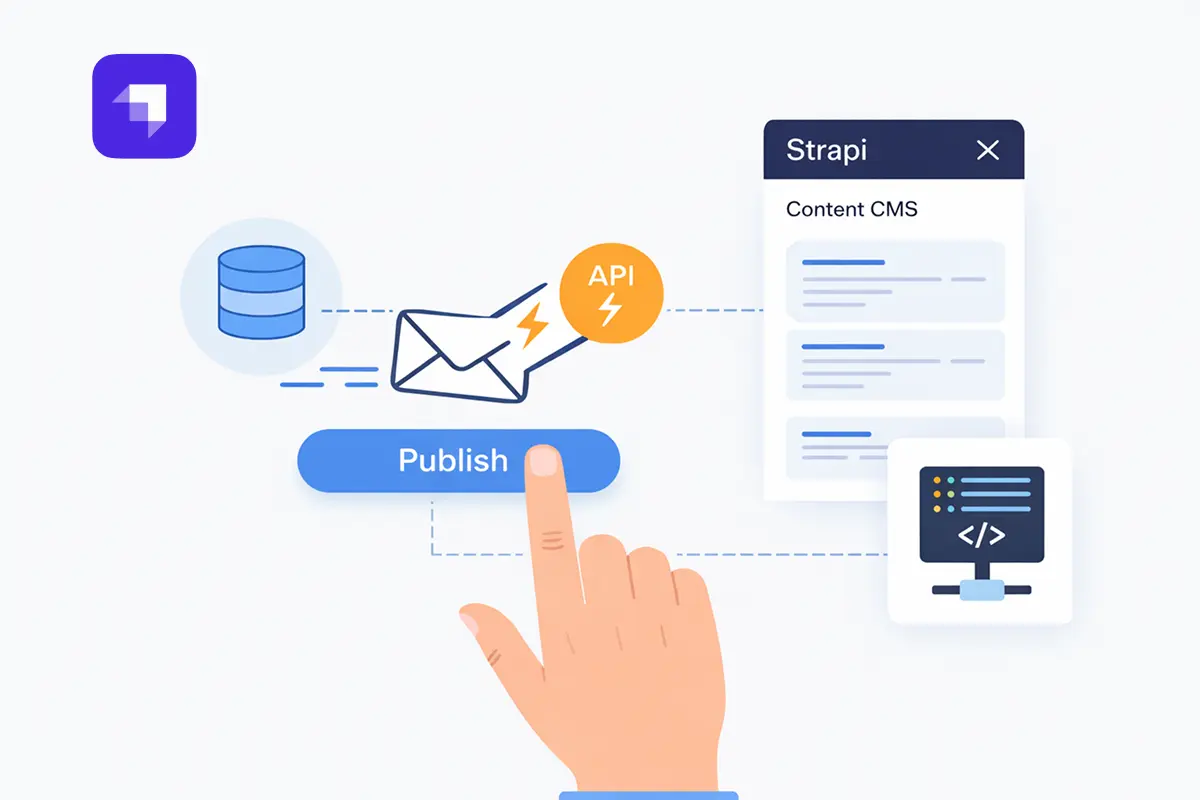
The first component in the ISR workflow is the Strapi Webhook. When content changes in Strapi, it automatically sends an HTTP POST request to a predefined endpoint. This is what connects your CMS to the rest of the build pipeline.
How it works:
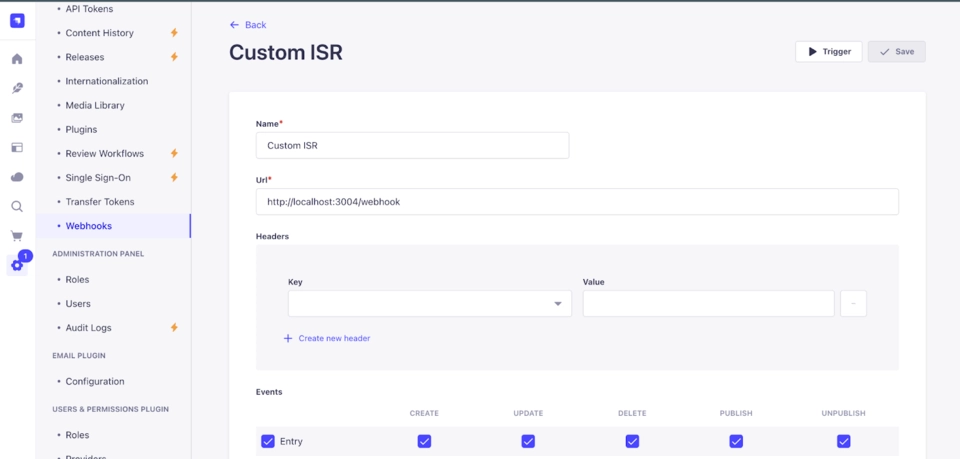
Strapi provides a straightforward way to configure webhooks directly within its admin interface. As a content editor, when you perform actions such as:
- Creating a new blog post.
- Updating an existing product description.
- Publishing a revised landing page.
- Deleting an outdated piece of content.
Strapi detects these events. For each configured event, it automatically sends an HTTP POST request to a predefined URL that you specify. This URL typically points to an external endpoint such as an API Gateway or a serverless function designed to receive and process these notifications.
What the webhook sends:
This POST request carries a payload, a block of structured data (usually JSON) that contains information about the content change that just occurred. This payload can include:
- The type of event (e.g., entry.create, entry.update, entry.delete).
- The model type of the changed content (e.g., blog-post, product).
- The ID of the specific entry that was modified.
- Potentially, a subset of the new or old content data itself.
Its role in the ISR workflow:
The Strapi webhook serves as the initial trigger for the entire regeneration process. Rather than constantly polling Strapi for changes, which is inefficient and resource-heavy, we let Strapi notify our system the moment something is updated.
This notification carries enough information to identify exactly what changed, which content type was affected, and which entry was modified.
That specificity is what makes targeted page regeneration possible. Instead of rebuilding the entire site, the system knows precisely which pages need to be refreshed, keeping the Next.js site current with the latest content from Strapi while maintaining the speed benefits of static hosting.
Step 2:API gateway – routing securely
Once the Strapi webhook sends its content change notification, the next component in the pipeline is the API Gateway. It sits between Strapi and the rest of the system, ensuring that only valid and properly formatted requests make it through to the backend for processing.
Key functions of the API gateway in this workflow:
- Security: Acts as a controlled entry point, verifying incoming requests.
- Structure: Receives raw data from Strapi and transforms it into a consistent payload.
- Forwarding: After validation and transformation, the payload is pushed to the SQS queue.
- Decoupling: Separates the CMS from backend processing, meaning Strapi doesn't need to know anything about the internal build logic.
- The API Gateway ensures that only valid signals enter the system and pass them to the queue, preventing any direct dependency or overload on the subsequent content processing steps.
Step 3: SQS queue – decoupling logic
After the API Gateway securely receives and validates the Strapi webhook payload, the next step in our ISR workflow involves sending that payload to an AWS Simple Queue Service (SQS) Queue. SQS handles asynchronous communication and is fundamental to building a reliable and scalable content update pipeline.
What is SQS and its Role?
SQS is a fully managed message queuing service that enables you to decouple and scale microservices, distributed systems, and serverless applications. In our context, it performs several vital functions:
- A eeliable buffer: When a content update comes in from Strapi, SQS temporarily stores it as a message in the queue. This acts as a buffer, smoothing out spikes in demand and ensuring no update gets lost in the process.
- Decoupling layer between webhook and build system: Instead of the API Gateway directly triggering the build system, it places a message in the SQS queue. This means the two systems operate independently of each other, and a slowdown in one doesn't affect the other.
- Scalable event store for asynchronous processing: SQS can handle a large number of messages per second, ensuring that content update events are never dropped no matter how frequently your content team makes changes. The API Gateway doesn't have to wait for the build system to finish processing before it can move on. Each side works at its own pace, which keeps the overall pipeline responsive and stable.
The result is a system where every content change is eventually processed without risk of overload or data loss.
Step 4: Cron job – smarter build triggers
After content update events are queued in SQS, the Cron Job is what decides when and how to act on them. Rather than reacting to every single content save and potentially overwhelming the build infrastructure, the Cron Job batches updates and processes them at scheduled intervals.
How the Cron Job Operates:
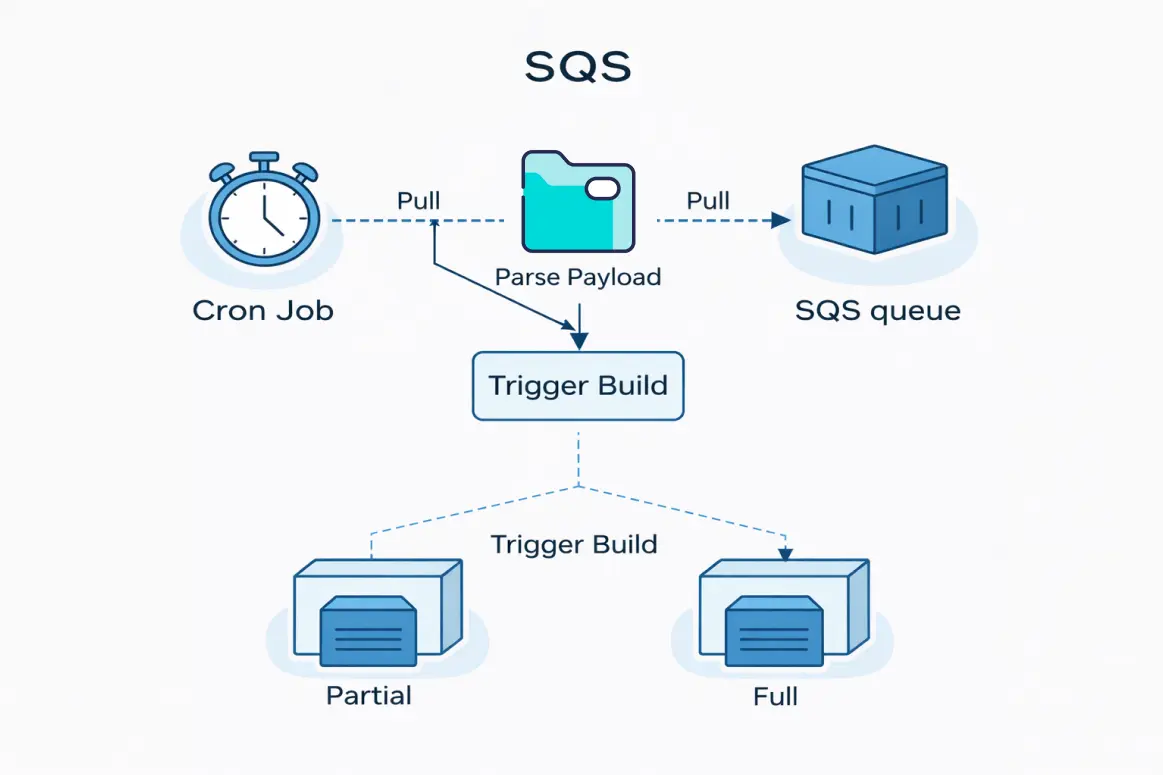
The Cron Job is a scheduled task that runs at predefined intervals, every 15 minutes by default, though this can be configured based on how frequently content changes. Its primary responsibilities include:
- Fetches events from SQS:
- At its scheduled time, the Cron Job polls the SQS queue, pulling down any new content update messages that have accumulated since its last run. This allows it to process multiple changes in a single batch, rather than initiating a separate build for each individual edit.
- Determines what changed:
- Once it retrieves the events from SQS, the Cron Job's logic analyzes the payloads. It "Understands what changed (page, blog, product?)". By inspecting the event data (e.g., the content type, the ID of the changed item), it can ascertain the scope and nature of the content modification. Did an editor update a single blog post? Or was a site-wide navigation element modified? This intelligence is crucial for optimizing the build process.
- Triggers either a partial or full build based on the scope of change:
- This is where the "smarter" aspect of the Cron Job truly shines. Based on its determination of what changed, it makes an informed decision:
- Partial build: If the change is localized, affecting only a specific page or a set of related pages, the Cron Job triggers a partial build.
- Full site rebuild: If the change is global, impacting elements that appear across multiple pages (like a shared header, footer, navigation menu, or site-wide configuration), the Cron Job triggers a full site rebuild.
- This is where the "smarter" aspect of the Cron Job truly shines. Based on its determination of what changed, it makes an informed decision:
Benefits of this batching approach:
- Avoids "Build spam": By waiting and batching multiple changes, the Cron Job prevents your build system from being constantly hammered by frequent, small edits made by content editors. This leads to a more stable and predictable build environment.
- Resource optimization: Fewer, more comprehensive builds consume fewer overall compute resources and can be more cost-effective than a barrage of tiny, individual builds.
- Controlled flow: It introduces a controlled and rhythmic flow to your content updates, allowing for a more manageable deployment process. It brings "calm and control to the update flow."
In summary, the Cron Job acts as the intelligent orchestrator, ensuring that content changes from Strapi are efficiently and precisely translated into the necessary Next.js site updates, choosing the most optimal build strategy (partial or full) for maximum speed and efficiency.
Step 5: Build system
The final stage in our custom ISR workflow is the Build System, where the actual regeneration of your Next.js site takes place. Guided by the decisions made by the Cron Job, the build system determines whether to perform a partial build or a full regeneration. This choice is fundamental to achieving both speed and consistency.
1. Partial build
A partial build is the preferred and most efficient method when content changes are localized.
What it Rebuilds: A partial build rebuilds only the affected route or page. It doesn't touch the parts of your site that haven't been modified.
When it's Used: This approach is ideal for page-level changes such as:
Updating a blog post: If you edit the content of a specific blog article, only that individual blog post's page needs to be regenerated. Modifying a product page: If a product description or image changes, only that specific product page is rebuilt.
Speed and Cost-Effectiveness: Partial builds are fast and cost-effective. They consume minimal resources because they only process a small portion of your site. For a site with 1500+ pages, a partial build could take approximately 9 seconds. This means your content goes live almost instantly with no downtime for the user.
2. Full build
While partial builds are ideal for localized changes, a full build becomes necessary when the modifications affect global elements or require a complete regeneration of the site.
What it Rebuilds: A full build rebuilds the entire site. Every page, route, and static asset is regenerated from scratch.
When it's Used: This is typically reserved for global updates such as:
Changing global navigation: If your website's main menu or footer content is updated, this impacts every page, requiring a full rebuild to ensure consistency across the entire site. Layout or theme changes: Any fundamental changes to the site's overall layout, CSS, or shared components may also trigger a full build.
Speed and Resource Usage: Full builds are slower and more resource-heavy compared to partial builds. For the same 1500+ page example, a full build could take around 40 seconds. While slower, it's sometimes a necessary step to ensure site-wide consistency.
Once the build logic determines what type of build is needed, it triggers the actual build process.
Here's what happens during the final deployment phase: The site is built using the updated content. The output is pushed into the serve directory or the target static host folder. This directory is what your CDN or server uses to serve the site. Once deployed, the updated content becomes live without affecting other parts of the site. In partial builds, only the specific page or route is updated, meaning no downtime or full-site redeploy. This ensures fast updates, high availability, and a smooth user experience. This setup works smoothly without much manual effort. It's reliable, efficient, and easy to maintain. Ultimately, we've enabled a workflow that makes content changes fast, safe, and scalable without relying on full redeployments every time.
Conclusion
The problem we started with was straightforward: static sites are fast but updating them shouldn't require rebuilding everything from scratch every time a content editor makes a change. The five-component pipeline we built with Next.js and Strapi webhooks solves exactly that. Changes are captured the moment they happen, queued reliably, and processed in batches. The build system handles the rest, whether that means regenerating one page in 9 seconds or the entire site in 40.
The result is a workflow that gives content teams the freedom to publish without waiting, and gives developers a system that doesn't buckle under the weight of frequent updates. Static performance stays intact. Content stays current. And the pipeline runs without much manual effort once it's in place.